
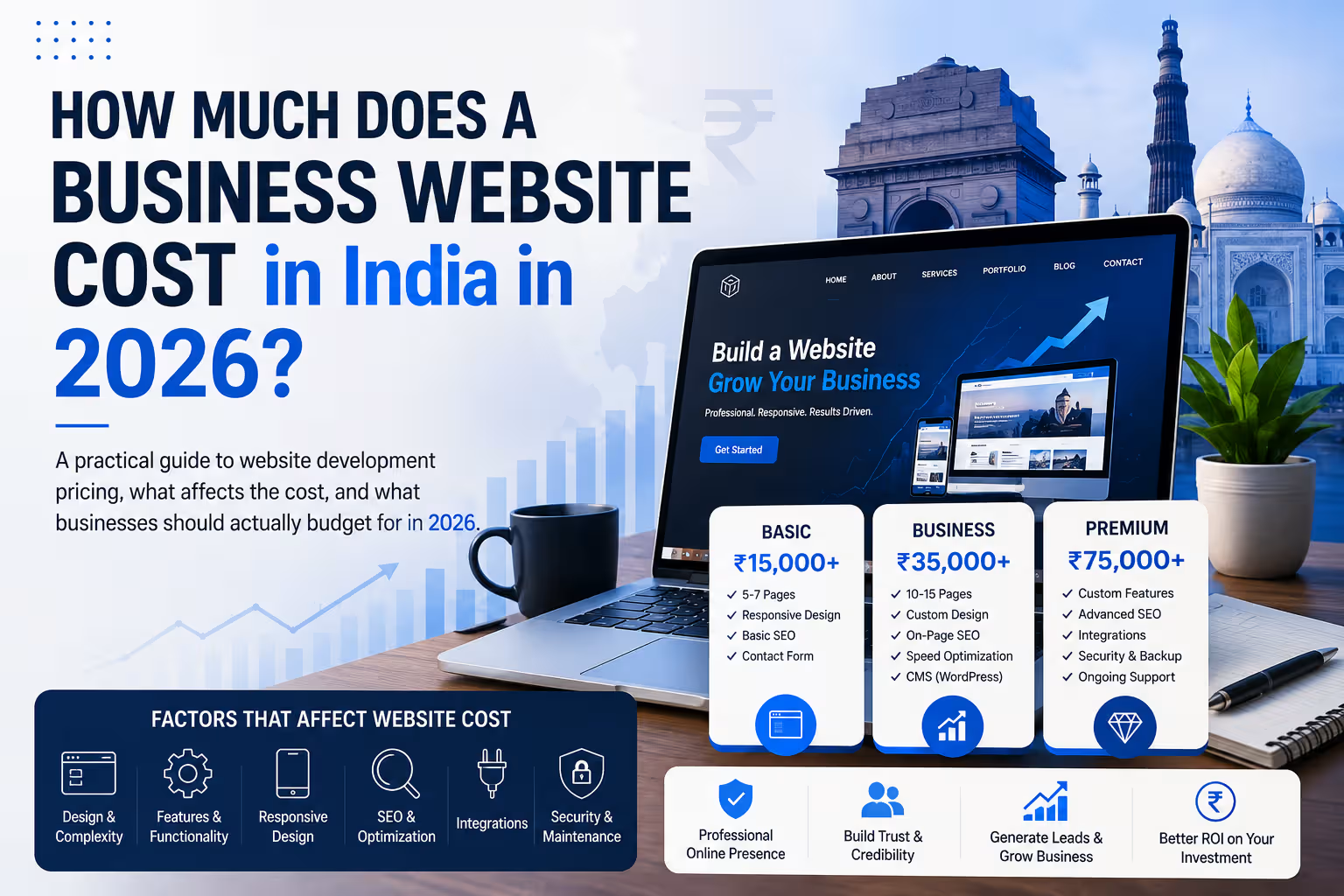
How Much Does a Business Website Cost in India in 2026?

Web Development

How Much Does a Business Website Cost in India in 2026?

A practical guide to website development pricing, what affects the cost, and what businesses should actually budget for in 2026.

By IndWerk Labs August 13, 2026 10 min read
IndWerk Labs · 2026 Guide

Understanding Business Website Costs in India

Design · Development · Performance · Security · Growth

Quick Answer

A professional business website in India can typically cost anywhere from ₹25,000 to ₹1,25,000+. Advanced websites, e-commerce platforms and custom web applications can move into several lakhs depending on functionality and complexity.

If you're planning to build a website for your business, one of the first questions you're likely to ask is:

"How much will a business website cost?"

In India, the answer can range from a few thousand rupees for a basic template-based website to several lakhs for a custom website, e-commerce platform, marketplace or web application.

The problem is that a range such as ₹10,000 to ₹10,00,000+ doesn't tell a business owner much.

What exactly are you getting for ₹30,000? What makes another website cost ₹1,00,000? And when does it actually make sense to spend more?

Let's break it down.

What Determines the Cost of a Business Website?

Two websites can have the same number of pages and still have completely different development costs.

  • Website type
  • Design requirements
  • Number of pages
  • Features and functionality
  • Third-party integrations
  • Content requirements
  • SEO requirements
  • Performance and security
  • Maintenance and support

The key point: You're not really paying for "a website." You're paying for the design, technology, functionality, content structure, performance, security and expertise required to build it.

Business Website Cost in India: 2026 Pricing

The following ranges are useful for planning purposes. They are not fixed market rates because every project has different requirements.

Website TypeTypical BudgetBest For
Landing Page₹10K – ₹25KCampaigns, startups
Basic Business Website₹25K – ₹50KSmall businesses
Professional Business Website₹50K – ₹1.25LGrowing businesses
Advanced Business Website₹1L – ₹2.5L+Established businesses
E-commerce Website₹75K – ₹3L+Online stores
Custom Web Application₹1.5L – ₹10L+Complex systems
Marketplace / Platform₹3L – ₹15L+Large platforms

1. Landing Page — ₹10,000 to ₹25,000

A landing page is usually a single-page website designed around one specific objective.

  • Generate leads
  • Promote a product
  • Promote an event
  • Collect enquiries
  • Launch a service

2. Basic Business Website — ₹25,000 to ₹50,000

This is the traditional small-business website. It might contain Home, About, Services, Contact, Blog and other essential pages.

WordPress is often a practical choice at this level because it provides a mature content management system without requiring a custom application to be developed from scratch.

3. Professional Business Website — ₹50,000 to ₹1,25,000

This is where a business website becomes more than an online brochure.

  • Custom page layouts
  • Brand-focused design
  • Multiple service pages
  • Lead-generation forms
  • Analytics
  • SEO foundations
  • Schema implementation
  • Performance optimization
  • Security configuration
  • Conversion-focused CTAs

4. Advanced Business Website — ₹1,00,000 to ₹2,50,000+

Advanced websites may contain substantially more functionality.

  • Advanced search
  • Booking systems
  • Member areas
  • Customer dashboards
  • CRM integrations
  • API integrations
  • Advanced forms
  • Automated workflows
  • Custom calculators
  • Multiple user roles

5. E-commerce Website — ₹75,000 to ₹3,00,000+

E-commerce pricing varies considerably. A relatively simple store is very different from an online business with complex inventory, shipping and ERP integrations.

  • Product catalogue
  • Payment gateway
  • Shipping integration
  • Inventory management
  • Customer accounts
  • Coupons
  • Subscriptions
  • ERP or CRM integration

6. Custom Web Applications — ₹1,50,000 to ₹10,00,000+

At this stage, the word "website" can become misleading. A system containing user accounts, dashboards, transactions, APIs, automated workflows and data processing is effectively a web application.

Custom applications can easily cost several lakhs depending on the functionality and technical architecture required.

Don't Forget the Recurring Costs

Development is only one part of the total cost of owning a website.

01

Domain

Your domain needs to be renewed periodically.

02

Hosting

Hosting requirements depend on traffic, performance and application complexity.

03

SSL

Modern business websites should use HTTPS.

04

Maintenance

Updates, backups, security and support may require ongoing investment.

IndWerk Recommendation

Choosing Hosting for Your Business Website

Don't choose hosting solely based on the lowest price. Consider resources, performance, backups, security, support and how easily the hosting can scale with your website.

Affiliate disclosure: Some articles on this site may contain affiliate links. We may earn a commission from qualifying purchases at no additional cost to you.

Questions to Ask Before Accepting a Website Quote

Before choosing a developer or agency, make sure you understand exactly what is included.

  1. How many pages are included?
  2. Is the design custom or template-based?
  3. Is the website mobile responsive?
  4. What SEO work is included?
  5. Who provides the content?
  6. Are hosting and domain included?
  7. Are premium plugins or themes included?
  8. How many revisions are included?
  9. What happens after launch?
  10. Who owns the website and hosting accounts?

The Cheapest Website Isn't Always the Cheapest Option

A ₹15,000 website can look attractive at first. But if it has to be rebuilt after a year because it doesn't represent the brand, performs poorly, cannot be maintained properly or doesn't generate enquiries, the original saving may disappear quickly.

A better question is:
What website does my business need for the next 2–3 years?

Final Verdict

There is no single "correct" price for a business website in India in 2026.

For planning purposes, a professional business website will commonly fall somewhere around ₹25,000 to ₹1,25,000+, while advanced websites, e-commerce projects and custom applications can move into several lakhs.

The most important factors are:

Scope + Design + Functionality + Technology + Content + Integrations + Performance + Security + Support

Don't compare a ₹30,000 template-based website with a ₹1,00,000 custom business website as if they are the same product.

They aren't.

Frequently Asked Questions

A basic five-page website can start around ₹25,000, while a professionally designed and customized business website can cost significantly more.

It can be, particularly for conventional business websites. WordPress provides an existing CMS and ecosystem, reducing the amount of functionality that needs to be built from scratch.

A basic e-commerce website may start around ₹75,000, while sophisticated stores can cost several lakhs depending on products, integrations, payment systems, shipping, inventory and custom functionality.

Not necessarily. Compare the scope, quality, ownership, support, security, performance, technology and deliverables rather than comparing only the headline price.
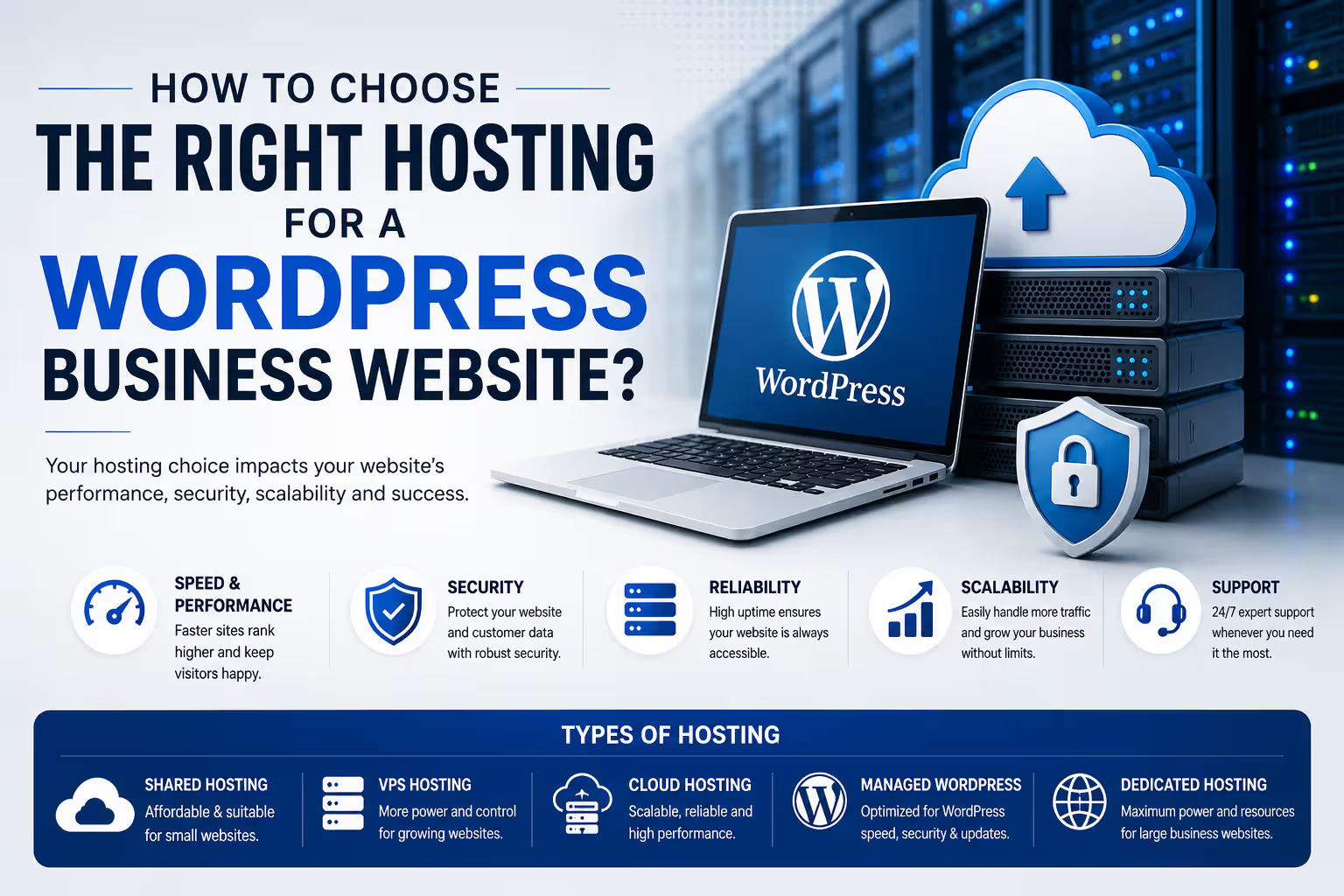
How to Choose the Right Hosting for a WordPress Business Website?

Hosting & Domains

How to Choose the Right Hosting for a WordPress Business Website

Your hosting provider affects more than where your website lives. Performance, security, backups, scalability and support all depend on the hosting environment behind your WordPress website.

By IndWerk Labs August 2026 8 min read
WordPress Hosting Guide
The right hosting is part of your website infrastructure.
Quick Answer

For most small and medium-sized business websites, the best hosting is not necessarily the cheapest or the most powerful. Look for a host that provides reliable resources, HTTPS, current PHP and database versions, automatic backups, caching, security features, staging where appropriate, good support and enough room for your website to grow.

Choosing a WordPress host can be surprisingly difficult. Almost every provider promises fast servers, high uptime and excellent support. Plans may also look similar on the surface while offering very different resources, backup policies, performance features and renewal prices.

For a business website, hosting should be treated as infrastructure rather than simply another monthly subscription. A few hundred rupees saved on hosting is not particularly useful if the website becomes slow, difficult to restore or unable to handle increased traffic.

What Does WordPress Hosting Actually Do?

WordPress is software that needs a server environment to run. Your hosting provider supplies that environment and the resources required to serve your website to visitors.

At a basic level, hosting provides storage for your website files, a database for your content, server resources for processing requests and a network connection through which visitors access the website.

Modern WordPress hosting can also include additional services such as caching, backups, staging environments, malware protection, CDN integration and managed WordPress updates.

The Main Types of Hosting

You will generally encounter several hosting models when looking for a home for a WordPress website. They are not interchangeable.

01

Shared Hosting

Multiple websites share server resources. It is usually the most affordable option and can be suitable for smaller websites with modest traffic.

02

Managed WordPress Hosting

The hosting environment is specifically optimized around WordPress, with more management, automation and WordPress-specific tooling.

03

Cloud Hosting

Your website runs on cloud infrastructure with more flexibility around resources, scaling and infrastructure configuration.

04

VPS Hosting

A virtual private server provides greater control and dedicated resource allocation, but generally requires more technical administration.

Which Hosting Type Is Best for a Business Website?

There is no universal answer. The appropriate choice depends on the size of the website, traffic, functionality, technical expertise and expected growth.

Hosting TypeBest ForTechnical SkillTypical Cost Level
Shared HostingSmall websites and basic business sitesLowLow
Managed WordPressBusinesses wanting easier WordPress managementLow–MediumMedium
Cloud HostingGrowing websites and higher workloadsMediumMedium–High
VPSDevelopers and businesses needing server controlHighMedium–High
Premium Managed HostingHigh-value, high-traffic or mission-critical websitesLow–MediumHigh

1. Check the Server Environment

Before comparing marketing claims, check whether the hosting environment supports the current WordPress requirements.

WordPress currently recommends modern versions of PHP and database software, together with HTTPS. A host that makes it difficult to maintain current software versions is not a good long-term choice.

Important

Do not choose hosting solely because it says "WordPress compatible". Check the actual PHP, database, HTTPS, storage and resource configuration available on the plan you are purchasing.

2. Look at Resources, Not Just Storage

One of the easiest ways for hosting companies to make plans look attractive is to emphasize storage capacity.

Storage matters, but it is only one part of the equation. CPU allocation, RAM, PHP workers, database performance and server-level caching can have a much greater effect on how a WordPress website behaves.

A business website with 10 GB of content can still be slow if the underlying server resources are inadequate.

3. Understand Backups

Backups should be considered essential for a business website.

Before purchasing a hosting plan, find out how often backups are created, how long they are retained and how easily the website can be restored.

Also determine whether backups are stored separately from the primary website. A backup that cannot be recovered when something goes wrong has limited value.

A practical rule

Do not rely on your hosting provider as your only backup strategy. Important business websites should have an independent backup strategy as well.

4. Check Performance Features

Hosting is only one factor in website speed, but the server still provides the foundation on which everything else operates.

Look for features such as server-side caching, object caching where appropriate, CDN integration, modern storage technology and efficient server software.

However, do not assume that a hosting upgrade automatically makes a poorly optimized website fast.

Large images, excessive plugins, inefficient themes, third-party scripts, poorly configured caching and slow database queries can still create performance problems regardless of the hosting plan.

5. Security Matters More Than a Cheap Monthly Price

A business website can be exposed to automated attacks, vulnerable plugins, compromised administrator accounts, malware and other security problems.

Your hosting environment should therefore support HTTPS and provide sensible security and backup capabilities.

Depending on the hosting model, additional features may include firewalls, malware monitoring, automated updates, isolation between accounts and security-focused server configuration.

6. Do You Need Managed WordPress Hosting?

Managed hosting can be useful when you want the hosting provider to take care of more of the infrastructure and WordPress-specific administration.

This can include automated backups, staging environments, WordPress updates, caching, migration tools and technical support.

The trade-off is usually cost. Managed hosting generally costs more than entry-level shared hosting.

For a business that depends on its website for leads, enquiries or sales, that additional cost can make sense if it reduces operational risk and maintenance effort.

7. Think About Where Your Visitors Are

Your target audience should influence your hosting decision.

If most of your customers are in India, infrastructure and CDN configuration that provide good connectivity to Indian visitors can be useful. If your business serves customers across several countries, a global CDN and strategically distributed infrastructure may become more important.

Hosting location is not the only factor affecting speed, but it is one of the infrastructure decisions worth considering.

8. Don't Ignore Support

Support is easy to overlook when everything is working. It becomes much more important when a website stops working at midnight, an update creates a problem or a migration goes wrong.

Before choosing a provider, understand what the support team actually handles. Some providers primarily support the hosting infrastructure, while others provide more WordPress-specific assistance.

If you are managing the website yourself, good support can be particularly valuable.

9. Compare Renewal Prices

Promotional pricing can make hosting appear significantly cheaper than it will be over the long term.

Always compare the introductory price with the renewal price and check whether important features are included or sold separately.

The cheapest first-year plan is not necessarily the cheapest hosting solution over three or five years.

10. Consider What Your Website Will Become

A website that starts as a five-page company profile may eventually add a blog, lead-generation forms, analytics, integrations, ecommerce, membership features or other functionality.

You do not need to buy enterprise infrastructure on day one. You should, however, avoid an environment that makes normal growth unnecessarily difficult.

IndWerk Recommendation

Choose Hosting Based on the Website's Job

For a small business website, prioritize reliability, backups, security, support and sensible performance features before paying for excessive resources.

If the website becomes more important to revenue generation or starts receiving significant traffic, reassess the hosting environment instead of assuming the original plan will always be sufficient.

Some hosting recommendations on this website may contain affiliate links. We may earn a commission from qualifying purchases at no additional cost to you.

What Should You Actually Check Before Buying?

Current PHP and database support
HTTPS / SSL support
Enough CPU and memory resources for your website
Automatic backups and a practical restoration process
Server-side caching and performance tools
Security features and isolation appropriate to your hosting model
Migration and staging options if you need them
Quality of technical support
Renewal pricing and additional charges
Ability to upgrade as your website grows

How Much Should You Spend on Hosting?

There is no single correct hosting budget for every business.

A simple informational website may work perfectly well on an affordable shared or managed WordPress plan. A business generating substantial revenue through its website may justify significantly more expensive infrastructure.

The important question is not: "What is the cheapest hosting I can buy?"

A better question is: "What level of infrastructure does this website actually require?"

Hosting Is Not the Same as Website Maintenance

Purchasing good hosting does not eliminate the need to maintain WordPress.

WordPress core, themes and plugins still need to be managed. Websites also need security monitoring, backups, performance checks, content updates and periodic technical maintenance.

Hosting provides the infrastructure. Website maintenance keeps the application running properly on that infrastructure.

The Bottom Line

The right WordPress hosting plan is the one that matches the requirements of your business rather than the one with the longest feature list.

For a typical business website, start by looking for a reliable environment with modern software support, HTTPS, backups, security, adequate resources, performance features and responsive support.

As your website becomes more important to the business, revisit the hosting decision. Moving from basic shared hosting to managed WordPress, cloud or higher-performance infrastructure can make sense when the website's workload and business value justify it.

Good hosting should stay out of your way. You should be able to focus on the website and the business rather than constantly worrying about the server.

Frequently Asked Questions

What is the best hosting for a WordPress business website?

There is no universally best provider. For most small businesses, prioritize reliability, backups, security, performance and support. Larger or higher-traffic websites may benefit from managed or cloud infrastructure.

Is shared hosting good enough for a business website?

It can be. A relatively small business website with modest traffic may work well on a good shared hosting plan. The important factors are the actual resources, server configuration, backup system and support available on the plan.

Is managed WordPress hosting worth the extra cost?

It can be worthwhile when you value easier management, automated backups, staging, WordPress-specific optimization and support. Whether the additional cost is justified depends on the importance and complexity of the website.

Does expensive hosting automatically make WordPress faster?

No. Hosting is only one part of website performance. Images, plugins, themes, databases, scripts, caching and website architecture also affect speed.

How much hosting does a small business website need?

Requirements vary. A basic company website usually needs far fewer resources than an ecommerce store, membership platform or high-traffic content website. Start with a sensible plan and upgrade when actual usage requires it.

Should I choose hosting based on the cheapest introductory price?

No. Compare renewal pricing, included features, resource limits, backup policies and support. The introductory price may only apply for the initial subscription period.

Hosting is infrastructure. Choose it based on what your business website needs today—and what it is realistically expected to need next.