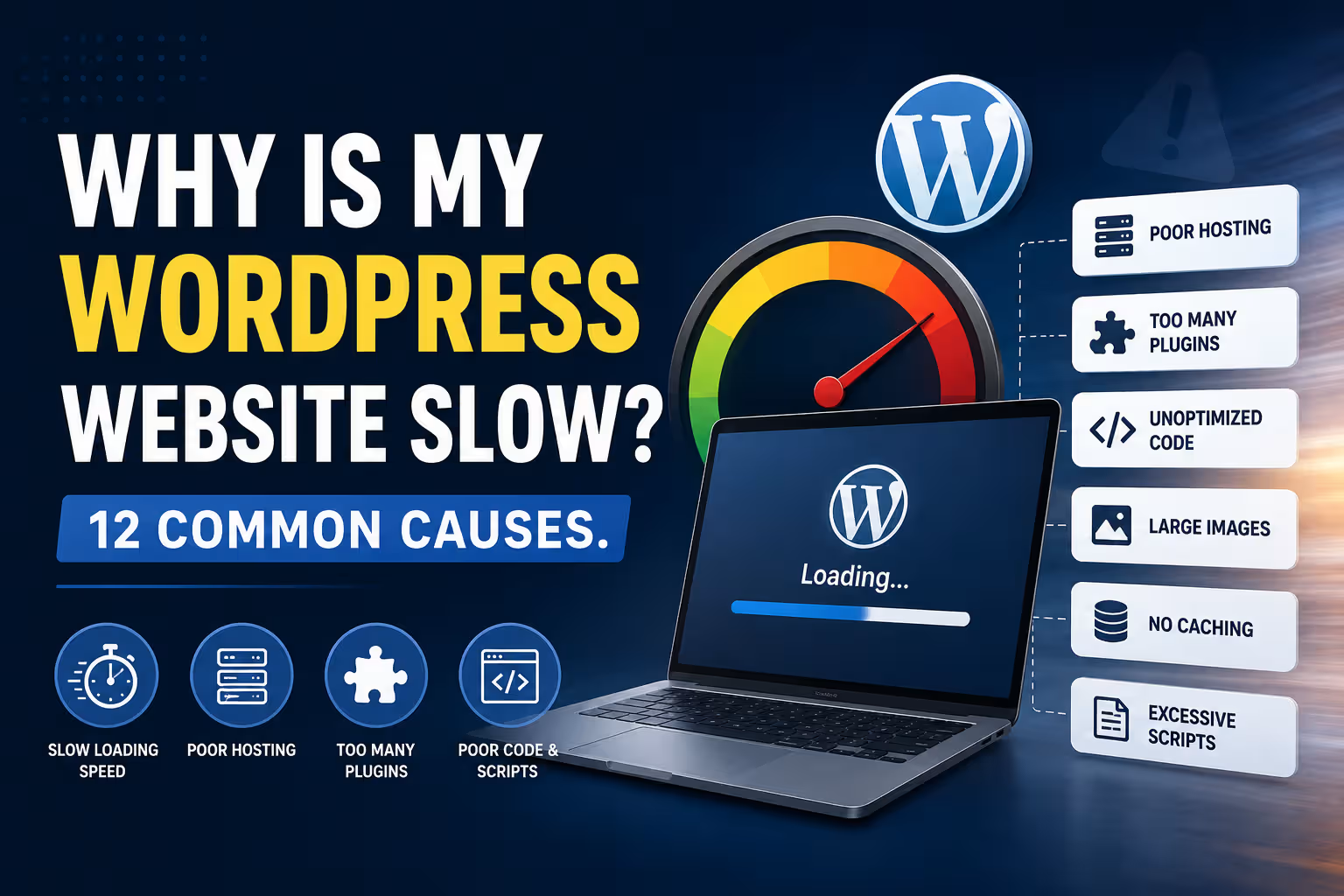
Why Is My WordPress Website Slow? 12 Common Causes.

Website Performance

Why Is My WordPress Website Slow? 12 Common Causes

A slow WordPress website can be caused by much more than a bad hosting plan. Images, plugins, themes, third-party scripts, database queries, caching and poor configuration can all affect performance. Here are 12 common causes and what you can do about them.

Website Performance 8–10 min read
Quick Answer

A slow WordPress website usually has multiple performance factors rather than one single problem.

Common causes include oversized images, too many plugins, inefficient themes, poor hosting, lack of caching, excessive JavaScript, third-party services, database bloat and poorly optimised pages.

The correct solution is not always to buy better hosting. A faster server cannot fully compensate for a website that sends excessive data, runs unnecessary scripts or performs inefficient database queries.

The best approach is to measure the website first, identify the actual bottlenecks and then optimise the areas responsible for the slowdown.

What Does "Slow" Actually Mean?

Before fixing a slow website, it helps to understand what website performance actually means.

A page can feel slow because:

  • The server takes too long to respond.
  • The browser has to download too much data.
  • Large images take too long to load.
  • JavaScript blocks the page from becoming interactive.
  • Third-party services load slowly.
  • The page takes too long to become visually complete.

Modern performance testing therefore looks at several different measurements rather than one universal "speed" number.

Google's Core Web Vitals include Largest Contentful Paint (LCP), Interaction to Next Paint (INP), and Cumulative Layout Shift (CLS), which measure different aspects of loading, responsiveness and visual stability.

A website can have a good-looking homepage and still deliver a poor user experience if the browser has too much work to do.

01. Large and Unoptimised Images

Images are one of the most common causes of slow WordPress pages.

A modern smartphone can easily produce photographs several megabytes in size. Uploading those original files directly to a website can create unnecessary download weight.

Common image problems include:

  • Images that are much larger than their displayed dimensions
  • Uncompressed JPEG or PNG files
  • Using PNG where a more efficient format is appropriate
  • Missing responsive image sizes
  • Large background images
  • Images loaded before they are needed

Modern formats such as WebP and AVIF can reduce image file sizes significantly in suitable situations.

Original Image → Resize → Compress → Modern Format → Responsive Delivery

Image optimisation is often one of the simplest ways to reduce page weight.

02. Too Many Plugins

WordPress plugins are useful because they add functionality without requiring everything to be developed from scratch.

But every plugin adds potential code, database activity, assets or background processing.

The problem is not simply the number of plugins.

Plugin quality and what the plugin actually does matter more than the raw count.

A lightweight plugin may have very little performance impact, while one poorly designed plugin can introduce substantial database queries or front-end scripts.

Businesses should periodically review:

  • Plugins that are no longer needed
  • Duplicate functionality
  • Plugins loading assets site-wide unnecessarily
  • Abandoned plugins
  • Plugins performing expensive database operations

03. A Heavy or Poorly Optimised Theme

Your WordPress theme determines a significant part of the page structure, CSS and JavaScript that the browser needs to process.

Some themes provide hundreds of features that a particular business website may never use.

A theme can become especially heavy when combined with:

  • Multiple page builders
  • Animation systems
  • Sliders
  • Large icon libraries
  • Multiple font files
  • Extra design frameworks

This does not mean that every visual theme or page builder is inherently slow. Implementation matters.

A well-configured website can perform well with a page builder, while a badly configured lightweight theme can still produce a poor experience.

04. Poor Hosting

Hosting is another important part of website performance.

Shared hosting can be perfectly adequate for many small business websites, but performance can suffer when server resources are limited or heavily shared.

Hosting-related issues can include:

  • Slow server response
  • Insufficient CPU resources
  • Insufficient memory
  • Slow storage
  • Resource contention
  • Poor server configuration
  • Long distances between visitors and the server

Server response time is often discussed using Time to First Byte (TTFB). It measures how quickly the browser begins receiving a response from the server.

If the server itself is slow, front-end optimisation has a limit.

But don't blame hosting automatically

Moving to a more expensive server can improve performance, but it will not fix a page that is sending enormous images, loading unnecessary scripts or performing inefficient database queries.

05. No Page Caching

WordPress is dynamic.

When a visitor requests a page, WordPress may need to execute PHP code, query the database and assemble the response.

Caching can reduce this repeated work by storing a version of the generated page so that it can be delivered more efficiently.

Visitor → Cache → Fast Response

Without effective caching, the server may repeatedly perform work that could have been avoided.

Caching can exist at different levels, including:

  • Browser caching
  • Page caching
  • Object caching
  • Server-side caching
  • CDN caching

06. Too Much JavaScript

JavaScript makes modern websites interactive, but excessive JavaScript can create significant browser workload.

A page may load scripts for:

  • Sliders
  • Animations
  • Popups
  • Forms
  • Analytics
  • Chat widgets
  • Social media feeds
  • Marketing tools
  • Page builder functionality

The browser has to download, parse, compile and execute JavaScript.

Excessive scripts can therefore affect responsiveness, especially on mobile devices with limited processing resources.

Removing unnecessary scripts is often better than simply trying to load them faster.

07. Too Many Third-Party Services

Modern websites often depend on external services.

For example:

  • Google Analytics
  • Advertising platforms
  • Chat widgets
  • Social feeds
  • Heatmaps
  • CRM forms
  • Payment services
  • Video embeds
  • Font services

Each external service can introduce additional network requests and processing.

More importantly, you do not completely control the performance of an external server.

If a third-party service responds slowly, the visitor can sometimes experience a slower page as a result.

Better approach

Review every third-party service and ask whether it is genuinely necessary. Remove services that no longer provide meaningful business value.

08. Poorly Optimised Fonts

Typography affects performance too.

A website may load multiple font families, weights and styles even though only a few are actually used.

For example, loading:

4 Font Families × 6 Weights × Multiple Styles

can create a surprising amount of additional font data.

Businesses should generally load only the fonts and weights they actually need.

System fonts or locally hosted optimised font files can also be considered depending on the website's requirements.

09. Database Bloat

WordPress stores a significant amount of information in its database.

Over time, the database can accumulate unnecessary data such as:

  • Post revisions
  • Expired transients
  • Spam comments
  • Unused metadata
  • Plugin-generated records
  • Large option values

Database bloat does not automatically make every website slow, but large or inefficient database operations can contribute to performance problems.

Some plugins can also create large amounts of data that remain in the database even after the plugin is no longer active.

Database optimisation should therefore be performed carefully rather than blindly deleting tables or records.

10. No CDN or Poor Content Delivery

A Content Delivery Network, or CDN, can distribute static website resources across multiple locations.

This can reduce the physical distance between the visitor and the resources they need to download.

Website Server → CDN → Visitor

CDNs can be particularly useful when a website serves visitors across different regions or countries.

However, a CDN is not a universal solution.

If the origin server is poorly configured or the page itself is excessively heavy, putting a CDN in front of it will not magically solve every performance issue.

11. Sliders, Videos and Heavy Visual Effects

Businesses often want visually impressive websites.

Large sliders, autoplay videos, animations and interactive effects can make a website look impressive while significantly increasing the amount of work required to render the page.

Common performance-heavy elements include:

  • Full-screen background videos
  • Multiple slider images
  • Large animated sections
  • Parallax effects
  • Video backgrounds
  • Multiple embedded videos

The solution is not necessarily to remove all visual elements.

Instead, ask whether each element contributes to the business objective.

A visual effect that adds five seconds of complexity but contributes nothing to conversions is probably not worth keeping.

12. Poorly Configured Caching and Performance Plugins

Installing a caching plugin does not automatically make a website fast.

Performance plugins often have many configuration options, and some settings can conflict with themes, plugins or dynamic functionality.

Problems can occur when businesses enable everything without testing.

For example:

  • JavaScript optimisation can break interactive elements.
  • CSS optimisation can affect page styling.
  • Lazy loading can interfere with important above-the-fold images.
  • Cache settings can interfere with logged-in or dynamic content.
  • Multiple optimisation systems can duplicate the same work.

Performance optimisation should therefore be tested after each significant change.

What About PageSpeed Insights?

Google PageSpeed Insights is useful, but businesses sometimes misunderstand what its score represents.

A PageSpeed score is not the same thing as a universal measurement of how good a website is.

Performance tools measure specific aspects of loading and responsiveness. Results can also vary based on the page, device, network conditions and implementation.

More important than obsessing over a single score is understanding what is actually causing the performance problem.

ProblemLikely Area to Investigate
Slow server responseHosting, server configuration, caching, database or backend code
Large page sizeImages, videos, fonts and other assets
High JavaScript workloadPlugins, themes, page builders and third-party scripts
Layout shiftsImages, fonts, advertisements and dynamically inserted content
Slow mobile experiencePage weight, JavaScript, images and device processing

How to Find the Real Cause of a Slow WordPress Website

The best optimisation process starts with measurement.

Test → Identify → Optimise → Test Again → Monitor

Start by testing the actual pages that matter to the business.

This may include:

  • Homepage
  • Service pages
  • Landing pages
  • Blog posts
  • Product pages
  • Contact pages

A website may have one very slow page while the rest of the site performs normally.

Testing the homepage alone therefore does not necessarily tell you how the entire website performs.

Should You Upgrade Your Hosting?

Sometimes.

Hosting should be upgraded when the existing environment genuinely lacks the resources or performance characteristics required by the website.

But upgrading hosting should not be the first response to every performance problem.

SituationLikely Response
Huge imagesOptimise images
Unused pluginsRemove or replace them
Slow server responseInvestigate hosting and backend performance
No cachingImplement suitable caching
Heavy JavaScriptReduce, defer or remove unnecessary scripts
High traffic or insufficient resourcesConsider upgrading hosting infrastructure

Why Mobile Performance Deserves Special Attention

A website that feels fast on a powerful desktop computer may feel significantly slower on a mobile device.

Mobile users can have:

  • Slower connections
  • Less processing power
  • Less available memory
  • Smaller screens
  • More variable network conditions

This means mobile performance should be tested independently rather than assuming that desktop performance represents the entire user experience.

For many business websites, the mobile experience is the more important performance target.

What Not to Do When Your WordPress Website Is Slow

Performance optimisation can sometimes become counterproductive.

Avoid blindly:

  • Installing multiple caching plugins
  • Deleting database tables without understanding them
  • Disabling scripts without testing
  • Removing plugins that provide essential functionality
  • Changing hosting without measuring the existing bottleneck
  • Chasing a perfect PageSpeed score at the expense of usability

The objective is not to make a testing tool happy.

The objective is to make the website fast, stable, usable and effective for real visitors.

Performance is an ongoing process

A website that is fast today can become slower later when new plugins, images, tracking scripts, content and design features are added. Performance should therefore be monitored as the website evolves.

Final Verdict

A slow WordPress website rarely has just one possible cause.

The problem can come from images, plugins, themes, hosting, caching, JavaScript, third-party services, fonts, databases, CDNs or simply an overly complex page.

The right solution is therefore not to install another optimisation plugin or immediately move to a more expensive hosting plan.

Start by measuring the website, identify the bottleneck, make a targeted change and test again.

A well-optimised WordPress website does not need to eliminate every feature. It needs to use its resources intelligently.

Don't optimise for a score. Optimise for the person waiting for your website to load.

Frequently Asked Questions

Why is my WordPress website so slow?

Common causes include large images, too many or poorly optimised plugins, heavy themes, slow hosting, missing caching, excessive JavaScript, third-party services and inefficient database operations.

Can too many WordPress plugins slow down a website?

They can, but the number of plugins alone does not determine performance. Plugin quality, functionality, database activity and the assets each plugin loads are more important factors.

Does changing hosting make WordPress faster?

It can improve performance when the existing hosting environment is a bottleneck. However, better hosting will not automatically fix oversized images, excessive JavaScript, poorly configured plugins or inefficient code.

How do I speed up my WordPress website?

Start by measuring the website and identifying the actual bottleneck. Common improvements include image optimisation, caching, plugin cleanup, reducing unnecessary JavaScript, improving hosting and optimising third-party resources.

Are images one of the main causes of slow websites?

Yes. Large and poorly optimised images can contribute significantly to page weight and loading time. Images should generally be resized, compressed and delivered in appropriate modern formats where suitable.

Does a caching plugin automatically make WordPress fast?

No. Caching can substantially improve performance, but configuration matters. Other problems such as large images, excessive JavaScript, slow hosting or poorly designed pages can remain even when caching is enabled.

Why is my WordPress website fast on desktop but slow on mobile?

Mobile devices generally have less processing power and may operate on slower or more variable network connections. Large images, JavaScript and complex page layouts can therefore have a greater impact on mobile performance.

Is a PageSpeed score of 100 necessary?

No. A high score can be useful, but the goal should be a fast, responsive, stable and usable website. Performance should be evaluated using real performance metrics and the actual user experience rather than one score alone.

Can a WordPress website become slow over time?

Yes. New plugins, images, tracking scripts, content, database records and design features can gradually increase the amount of work required to load a website. Regular performance monitoring can help identify these changes before they become major problems.
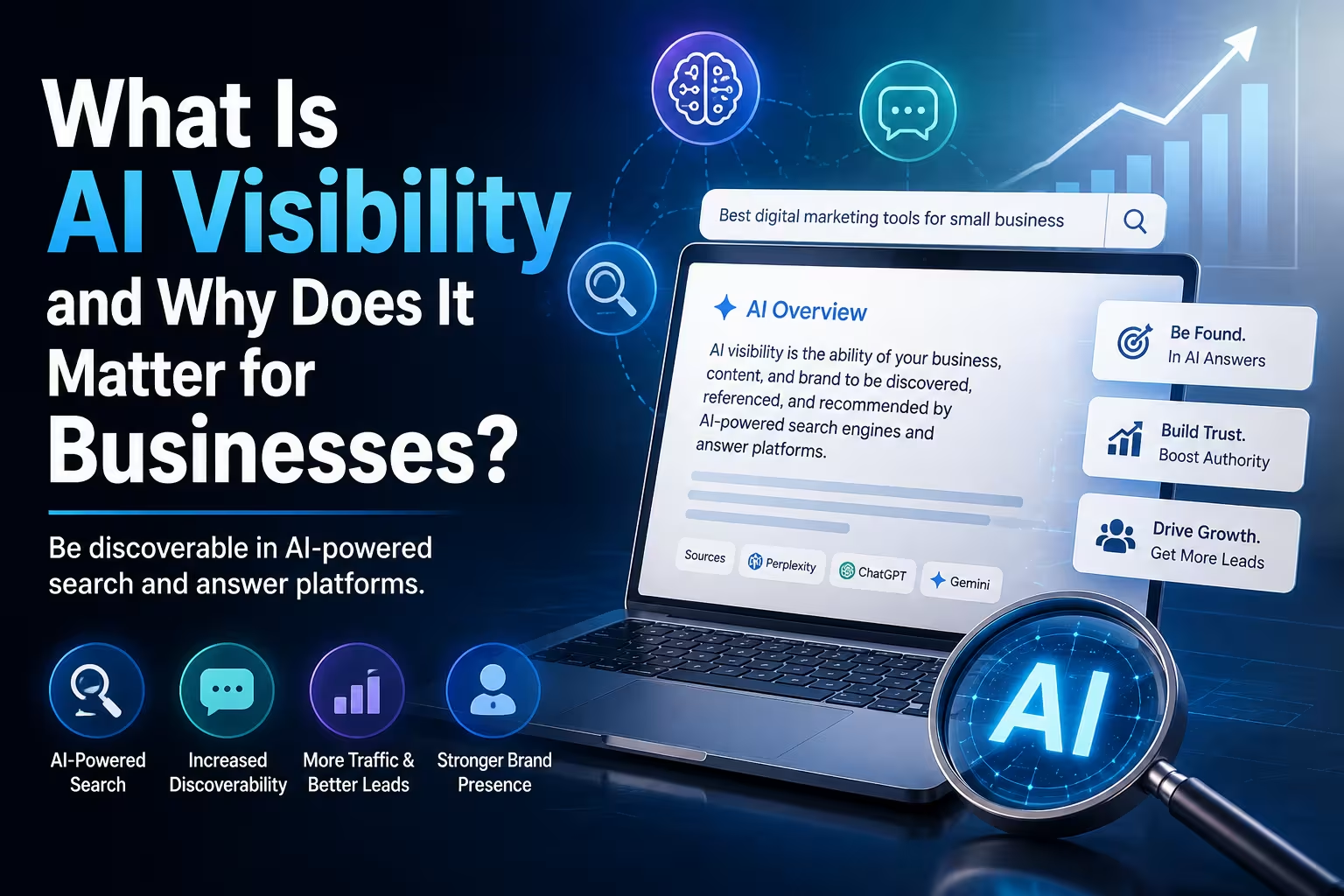
What Is AI Visibility and Why Does It Matter for Businesses?

AI Visibility

What Is AI Visibility and Why Does It Matter for Businesses?

Search is becoming more conversational, and people are increasingly using AI-powered tools to discover businesses, products and information. AI visibility is about making sure your business can be understood and discovered in these new search environments.

AI Visibility 7–9 min read
Quick Answer

AI visibility is the ability of a business and its information to be discovered, understood and potentially referenced by AI-powered search and answer systems.

Traditional SEO focuses heavily on visibility in search engine results. AI visibility goes a step further by considering how clearly AI systems can understand a business, its services, expertise, location, products and other relevant information.

There is no guaranteed way to make an AI system mention a particular business. However, businesses can improve their chances by maintaining accurate information, publishing useful original content, building a clear website structure, strengthening their authority and ensuring that relevant AI crawlers can access their public content.

What Does AI Visibility Actually Mean?

AI visibility is a relatively new way of thinking about online visibility.

For years, businesses focused primarily on one question:

"How do we appear when someone searches for our keywords?"

Today, another question is becoming increasingly relevant:

"What happens when someone asks an AI system about businesses like ours?"

For example, someone may ask an AI assistant:

"What are some good web development companies in Mumbai for a small business?"

Or:

"Who provides SEO and AI visibility services for businesses in India?"

An AI-powered search system may use information from multiple sources to formulate an answer and may provide links or citations to relevant websites.

AI visibility is concerned with whether your business has a clear, credible and discoverable digital presence that can contribute to those answers.

01. AI Visibility Is Not the Same as "Ranking in ChatGPT"

One of the first misconceptions businesses encounter is the idea that AI visibility works exactly like a Google ranking.

It does not.

AI search systems can use different retrieval methods, search providers, sources, context and ranking signals. The exact process can also change over time.

Even when a website is technically eligible to appear in an AI search product, there is no guarantee that it will be selected for a particular question.

This means AI visibility should be treated as a visibility and information quality strategy, rather than a promise of a specific position.

02. Why AI Visibility Matters Now

The way people find information is changing.

Search engines remain extremely important, but users are increasingly comfortable asking questions in natural language and receiving synthesized answers.

AI-powered search can potentially influence discovery across areas such as:

  • Business research
  • Product discovery
  • Service comparisons
  • Local recommendations
  • Software research
  • Travel planning
  • Professional services
  • Educational research

This creates another layer of digital visibility for businesses to consider.

Traditional search

A customer searches, sees results, compares pages and chooses a website.

AI-assisted search

A customer asks a question, receives a synthesized answer and may then investigate the sources or businesses referenced in that answer.

03. AI Visibility Depends on Being Understandable

A business can have a beautiful website and still communicate very little useful information to search and AI systems.

Consider two websites.

Website A

"We provide innovative digital solutions for modern businesses."

Website B

"We build WordPress and Webflow websites for small and medium-sized businesses in India, with services covering website development, SEO, AI visibility, automation and lead generation."

The second description provides substantially more context.

It identifies the business, its services, its technologies, its audience and its market.

Clarity is an important part of AI visibility.

04. Your Website Needs to Explain What Your Business Does

AI systems cannot reliably understand information that your website does not clearly provide.

A business website should make important information explicit.

For example:

  • Company name
  • Primary services
  • Products
  • Target customers
  • Locations served
  • Industries served
  • Areas of expertise
  • Contact information
  • Company history
  • Case studies
  • Relevant credentials

This is particularly important for service businesses.

Instead of simply saying that you are a "digital agency," explain what that means.

Digital Agency → WordPress Development → SEO → AI Visibility → Automation → Lead Generation

Clear relationships between these services help create a more understandable picture of the business.

05. Content Is One of the Biggest AI Visibility Assets

A website with only a Home, About, Services and Contact page may tell visitors what the company sells, but it provides relatively little depth.

A useful content strategy can create a much richer information footprint.

Businesses can publish:

  • Detailed service pages
  • Educational articles
  • Frequently asked questions
  • Case studies
  • Original research
  • Industry insights
  • Comparison guides
  • How-to articles
  • Definitions and explainers

This gives search systems more context about the business and the subjects it actually understands.

06. Original Information Matters

Publishing content is not enough.

The internet already contains enormous quantities of generic information.

A business therefore benefits from contributing something that is genuinely useful or distinctive.

That could include:

  • Original data
  • Industry observations
  • Case studies
  • Real project examples
  • Expert commentary
  • Unique processes
  • Detailed comparisons
  • Practical experience

For example, instead of publishing another generic article titled "What Is WordPress?", a web agency could publish:

"How Much Does a Business Website Cost in India in 2026?"

and explain the actual factors affecting development costs, hosting, maintenance, integrations and ongoing requirements.

That creates information with a clear business context.

07. AI Visibility and SEO Are Closely Connected

AI visibility does not mean abandoning SEO.

In fact, many of the fundamentals remain the same.

SEO FoundationAI Visibility Benefit
Clear website structureMakes business information easier to interpret
Useful contentProvides information that can answer questions
Internal linkingConnects related topics and services
Structured dataProvides machine-readable context where appropriate
Technical accessibilityAllows crawlers and search systems to access content
Authority and reputationSupports trust and credibility signals

This is why a business should not think of AI visibility as a completely separate website optimisation discipline.

It is better understood as an additional consideration within a broader search and digital visibility strategy.

08. AI Crawlers and Website Accessibility Matter

Your content cannot be surfaced by an AI search system if the relevant system cannot access it.

Different AI platforms use different crawlers and discovery mechanisms.

For example, OpenAI states that websites should allow OAI-SearchBot to crawl their content if they want to be eligible for inclusion in ChatGPT search.

This does not guarantee visibility or placement. It simply helps ensure that the website is technically available to that search system.

Businesses should therefore review:

  • robots.txt
  • Meta robots directives
  • Website accessibility
  • Firewall and security rules
  • CDN bot protection
  • Server response codes
  • Indexability

Technical accessibility is a prerequisite for digital visibility.

09. Your Business Information Should Be Consistent

AI visibility is not limited to your own website.

Businesses exist across an ecosystem of online sources.

Depending on the business, this can include:

  • Company website
  • Business directories
  • Professional profiles
  • Social platforms
  • Industry websites
  • Review platforms
  • News articles
  • Partner websites

Important information should be consistent wherever practical.

For example, if a company describes itself as a Mumbai-based WordPress agency on its website but appears as a software product company elsewhere, the overall digital identity becomes less clear.

Consistent business information helps create a stronger and more coherent online presence.

10. Reviews, Mentions and Reputation Matter

A business should not expect its own website to be the only source of information used to understand its reputation.

External mentions can provide additional context.

Depending on the business, useful sources may include:

  • Customer reviews
  • Industry publications
  • Business directories
  • Partner websites
  • Case study mentions
  • Interviews
  • Professional profiles

This is one reason reputation management and digital PR can become increasingly relevant to AI visibility.

A business should aim to build a genuine reputation rather than trying to manufacture mentions simply for AI visibility.

11. AI Visibility Is Not About Manipulating AI Systems

There is already a growing market of services promising to "hack" AI systems or guarantee that a business will be recommended by ChatGPT.

Businesses should be cautious about such claims.

AI search systems can change their models, retrieval systems, ranking methods and sources.

No responsible agency should guarantee that a particular business will always be recommended for a particular question.

The goal should be to build a business that is genuinely understandable, useful and credible online—not to trick an AI into mentioning it.

12. How Can a Business Improve AI Visibility?

A practical AI visibility strategy can begin with the fundamentals.

1. Make your business identity clear

Clearly explain who you are, what you do, where you operate and who you serve.

2. Build detailed service pages

Explain each major service rather than listing services as short bullet points.

3. Answer real customer questions

Build articles and FAQs around genuine questions people ask before buying.

4. Publish original content

Add practical experience, examples, data, case studies and insights that are not simply generic rewrites of existing content.

5. Strengthen technical SEO

Keep the website crawlable, accessible, fast, mobile-friendly and properly structured.

6. Use structured data appropriately

Implement relevant structured data where it accurately describes the content and business.

7. Build external credibility

Develop genuine reviews, mentions, partnerships, references and industry presence.

8. Monitor how your business appears

Periodically test relevant questions across AI-powered search experiences and document what information appears, what is missing and where inaccuracies exist.

AI Visibility vs SEO: What Is the Difference?

SEO and AI visibility overlap considerably, but their emphasis is different.

SEOAI Visibility
Focuses strongly on search visibilityFocuses on visibility within AI-assisted discovery and answers
Often measures rankings and organic trafficCan involve mentions, citations, references and representation
Strong focus on keywords and search intentStrong focus on entities, context, questions and business identity
Technical SEO is essentialTechnical accessibility remains essential
Content supports search rankingsContent helps systems understand and potentially reference the business

Why AI Visibility Matters for Small Businesses Too

AI visibility is not only relevant to large corporations.

In some ways, it may be particularly useful for smaller businesses.

A small business can build a highly specific information footprint around:

  • A particular city
  • A specific service
  • A specialised industry
  • A particular customer type
  • A niche product

For example, instead of trying to become known simply as a "web agency," a company might establish a much clearer digital identity around:

WordPress development → Mumbai businesses → SEO → AI Visibility → Automation

The more clearly the business communicates its actual expertise and market, the easier it becomes for people and systems to understand what it does.

Final Verdict

AI visibility is becoming another important layer of digital visibility for businesses.

It does not replace SEO, and it does not mean trying to manipulate AI systems into recommending a company.

Instead, it means building a digital presence that is clear, technically accessible, useful, authoritative and consistent enough to be understood across modern search and AI-powered discovery systems.

The businesses most likely to benefit are those that start treating their website as more than a digital brochure.

A strong website should explain what the company does, answer customer questions, demonstrate expertise, provide evidence, maintain accurate information and make its content accessible to modern search systems.

SEO helps your business get discovered. AI visibility helps make your business understandable in the age of AI-powered search.

Frequently Asked Questions

What is AI visibility?

AI visibility is the ability of a business and its information to be discovered, understood and potentially referenced by AI-powered search and answer systems.

Is AI visibility the same as SEO?

No. They overlap significantly, but SEO focuses primarily on search visibility while AI visibility considers how clearly a business can be understood and represented in AI-assisted discovery and answer experiences.

Can a business guarantee that ChatGPT will recommend it?

No. AI search systems use multiple signals and can change how they retrieve, rank and present information. Businesses can improve their digital presence, but responsible providers should not guarantee a specific AI recommendation or position.

Does AI visibility replace SEO?

No. Technical SEO, useful content, website accessibility, internal linking, structured data and other established SEO practices remain important foundations for modern search visibility.

Does AI visibility matter for small businesses?

Yes. Small businesses can benefit by building a clear digital identity around their services, locations, expertise and target customers. Specific and useful information can help make a business easier to understand online.

Does AI-generated content improve AI visibility?

Not automatically. Simply publishing large amounts of AI-generated content does not guarantee visibility. Useful, accurate, original and well-structured information is more important than the method used to produce the content.

How can I improve my business's AI visibility?

Start by making your business information clear and consistent, build detailed service pages, answer genuine customer questions, publish useful original content, maintain strong technical SEO, use appropriate structured data and develop genuine external credibility through reviews, mentions and industry relationships.

Can WordPress websites be optimised for AI visibility?

Yes. WordPress provides control over content, page structure, internal linking, structured data, technical SEO and publishing workflows, making it suitable for implementing an AI visibility strategy.

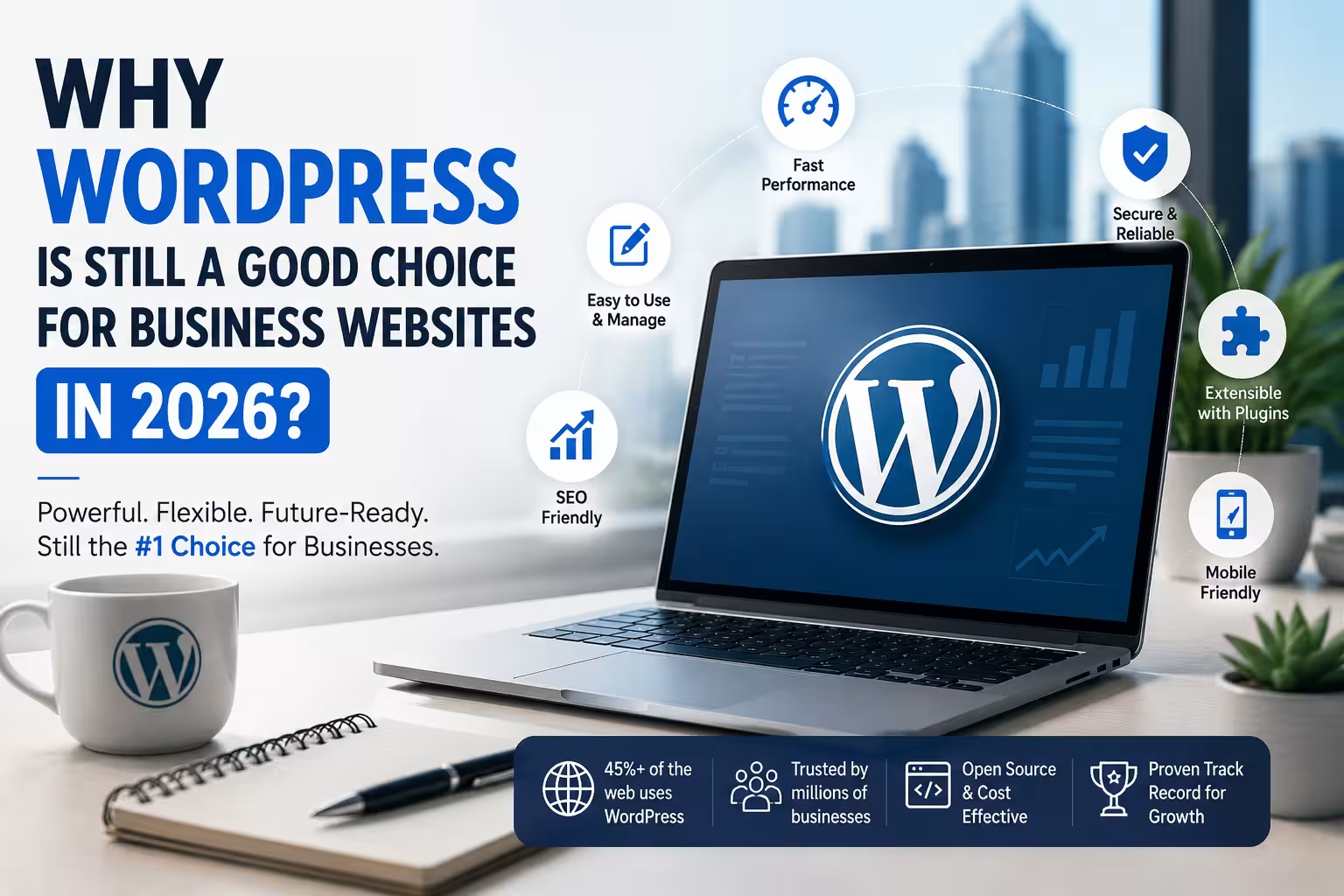
Why WordPress Is Still a Good Choice for Business Websites in 2026?

WordPress

Why WordPress Is Still a Good Choice for Business Websites in 2026?

WordPress has been around for more than two decades, but it remains one of the most practical platforms for building and managing business websites in 2026. Here's why.

WordPress 7–9 min read
Quick Answer

Yes. WordPress is still a strong choice for business websites in 2026, particularly when a business needs flexibility, ownership, integrations, SEO capabilities, and long-term control over its website.

The important distinction is that WordPress itself is not the complete solution. Hosting, theme selection, plugins, security, performance optimisation, content structure, and ongoing maintenance all affect the final website.

For a simple brochure website, other platforms can work equally well. But for businesses expecting their website to evolve into a lead-generation, publishing, ecommerce, booking, or automation platform, WordPress remains difficult to overlook.

WordPress Has Changed Significantly

When people think of WordPress, they sometimes picture the WordPress of 2015: a theme, dozens of plugins, a page builder, and a website that becomes difficult to maintain.

Modern WordPress can be very different.

The platform has evolved into a flexible content management system that can support:

  • Business websites
  • Corporate websites
  • Blogs and publications
  • Ecommerce stores
  • Membership websites
  • Learning platforms
  • Booking systems
  • Directories
  • Lead-generation websites
  • Custom web applications
  • API-driven websites
  • AI-assisted content workflows

This flexibility is one of WordPress's biggest advantages.

A business does not necessarily have to rebuild its website every time its requirements change.

01. You Own Your Website

One of the biggest reasons businesses continue to choose WordPress is ownership and portability.

With self-hosted WordPress, the business can control its:

  • Website files
  • Database
  • Domain
  • Hosting
  • Content
  • Media
  • Plugins
  • Themes
  • Integrations

This matters as a business grows.

A website that starts as a simple five-page company website might eventually require a CRM integration, ecommerce functionality, advanced forms, an employee portal, or a customer dashboard.

With a flexible platform, those capabilities can be added without necessarily abandoning the original website.

02. WordPress Can Scale With the Business

"Scalable" does not necessarily mean handling millions of visitors.

For most small and medium-sized businesses, scalability means something simpler:

Can the website accommodate new business requirements without becoming a completely new project?

WordPress performs well in this regard.

A company could start with:

Home → About → Services → Contact

Later, it might add:

Blog → Case Studies → Resources → Lead Magnets → Booking → Ecommerce → Customer Portal

The underlying platform can remain the same.

The actual scalability, however, depends heavily on the implementation. Poor hosting, excessive plugins, inefficient themes, unoptimised images, and badly written custom code can make even a good platform perform badly.

03. WordPress Is Strong for SEO

A business website needs more than an attractive design.

It needs to be discoverable.

WordPress gives businesses considerable control over the technical and content elements that influence search visibility.

For example:

  • Page titles
  • Meta descriptions
  • Headings
  • URLs
  • Internal linking
  • XML sitemaps
  • Canonical URLs
  • Structured data
  • Image optimisation
  • Blog content
  • Redirects
  • Robots directives

SEO plugins can simplify many of these tasks, while developers can implement more advanced requirements when necessary.

However, installing an SEO plugin does not automatically make a website SEO-friendly.

SEO still depends on content quality, site architecture, technical implementation, authority, user experience, and search intent.

04. WordPress Is Becoming More Relevant to AI Search

Search is changing.

People increasingly ask AI systems questions instead of simply entering keywords into a traditional search engine.

That makes structured, understandable and authoritative website content increasingly important.

A well-built WordPress website can provide a strong foundation for this because businesses can publish:

  • Detailed service pages
  • FAQs
  • Case studies
  • Expert articles
  • Authoritative company information
  • Product information
  • Structured data
  • Location information
  • Original research

This is where SEO and Answer Engine Optimisation (AEO) begin to overlap.

The goal is no longer simply:

"How do I rank for this keyword?"

Businesses increasingly need to consider:

"Can search engines and AI systems clearly understand what my business does, who it serves, and why it is credible?"

WordPress does not automatically solve this problem. But it gives businesses the control needed to build the underlying information architecture.

05. There Is a Huge Ecosystem

WordPress has one of the largest ecosystems in the web industry.

Businesses can find solutions for:

  • Payments
  • Ecommerce
  • Forms
  • CRM
  • Email marketing
  • Analytics
  • Security
  • Caching
  • SEO
  • Memberships
  • Learning management
  • Bookings
  • Shipping
  • Invoicing
  • Social media
  • Automation

This means businesses do not always need custom development for every requirement.

At the same time, having thousands of plugins available creates another responsibility: plugin selection matters.

Adding a plugin simply because it has a high installation count is not a development strategy.

Businesses should consider:

  • Developer reputation
  • Update frequency
  • Compatibility
  • Security history
  • Support
  • Performance
  • Whether the functionality is actually necessary

Fewer, well-chosen plugins are generally preferable to a website overloaded with unnecessary functionality.

06. WordPress Can Be Highly Customised

There is a common misconception that WordPress websites all look the same.

They don't have to.

WordPress can be customised through:

  • Custom themes
  • Child themes
  • Custom CSS
  • Custom PHP
  • Custom plugins
  • REST APIs
  • External APIs
  • JavaScript
  • Database integrations
  • Custom post types
  • Custom fields

This allows a business to start with a relatively conventional website and progressively introduce custom functionality.

For many businesses, this is more economical than building an entire website application from scratch.

07. WordPress Is Useful for Content Marketing

A business website is increasingly becoming a company's knowledge base.

Instead of simply listing services, businesses can publish content answering questions their customers are already asking.

For example, an accounting firm could publish:

  • GST guides
  • Tax planning articles
  • Business compliance checklists
  • Industry-specific accounting advice
  • Case studies

A software company could publish:

  • Implementation guides
  • Product comparisons
  • Tutorials
  • Documentation
  • Industry research

WordPress was originally built around publishing, and that heritage remains one of its strengths.

08. It Can Support Ecommerce

WordPress is not limited to corporate websites.

With WooCommerce, businesses can build online stores supporting products, payments, orders, shipping, discounts, customer accounts and other ecommerce functionality.

This can be particularly useful for businesses that want their corporate website and ecommerce operation to exist within the same ecosystem.

However, WooCommerce is not automatically the best option for every store.

Businesses with extremely specialised requirements may be better served by Shopify, Magento/Adobe Commerce, a custom solution, or another ecommerce platform.

The correct platform depends on the business model.

09. You Can Change Hosting

This is an underrated advantage.

A self-hosted WordPress website is not permanently tied to one hosting provider.

If a business outgrows its hosting environment, it can migrate to another provider.

Shared Hosting → Managed WordPress → VPS → Cloud Infrastructure

The migration may require technical work, but the underlying website does not have to be abandoned.

This gives businesses greater flexibility when hosting requirements or budgets change.

10. WordPress Can Be Cost-Effective

WordPress itself is open-source.

That doesn't mean a WordPress website is free.

Businesses still have costs associated with:

  • Domain registration
  • Hosting
  • Development
  • Premium themes
  • Premium plugins
  • Security
  • Maintenance
  • Backups
  • Content
  • SEO
  • Performance optimisation

However, the availability of a mature ecosystem can reduce development costs because developers do not have to build every component from scratch.

The real question should therefore not be:

"Is WordPress cheap?"

It should be:

"Can WordPress deliver the required functionality at an acceptable total cost of ownership?"

For many businesses, the answer is yes.

11. WordPress Gives Businesses Long-Term Flexibility

A website is rarely a one-time investment.

Business requirements change.

A company may launch with a simple website and later need:

  • More service pages
  • Multiple locations
  • Lead-generation forms
  • CRM integration
  • Customer accounts
  • Online booking
  • Ecommerce
  • Content marketing
  • Analytics
  • Marketing automation

A flexible CMS can accommodate many of these changes.

That is one reason WordPress continues to be relevant.

But WordPress Is Not Always the Right Choice

Being popular does not make WordPress the correct solution for every business.

You need a very simple website

If the requirement is a small static website with minimal ongoing changes, a simpler platform may be easier to manage.

You want an all-in-one managed ecosystem

Platforms such as Shopify can be attractive for businesses that primarily want ecommerce without managing the underlying technical infrastructure.

You need a highly specialised application

If the project is fundamentally a complex web application rather than a content-driven website, a custom application stack may be more appropriate.

Your team does not want to manage maintenance

Self-hosted WordPress requires responsibility for updates, backups, security and compatibility. That responsibility can be outsourced, but it should not be ignored.

The Biggest WordPress Mistake: Treating the Website as Finished

One of the biggest mistakes businesses make is considering website development complete the moment the site goes live.

A website is a business asset.

After launch, it needs:

Security → Updates → Backups → Performance Monitoring → Content Updates → SEO → Conversion Optimisation

A website that was excellent when launched can become slow, vulnerable, outdated or ineffective if nobody maintains it.

This is particularly important with WordPress because the ecosystem is constantly changing.

What Makes a Good WordPress Website in 2026?

The platform is only one part of the equation.

1. A clear purpose

Visitors should understand what the company does within seconds.

2. Good information architecture

Pages should be organised around the customer's needs, not the company's internal structure.

3. Strong mobile experience

A website should work properly across mobile devices, not simply shrink the desktop version.

4. Good performance

Images, scripts, fonts, plugins and hosting should be properly managed.

5. Security

Updates, backups, access controls, secure authentication and monitoring should be part of the operating process.

6. Search visibility

SEO should be considered during development rather than added as an afterthought.

7. AI visibility

Important business information should be structured clearly enough for modern search and AI systems to interpret.

8. Conversion paths

A website should make it obvious what visitors can do next: Call → Enquire → Book → Buy → Download → Contact

9. Maintainability

The website should be built so that future changes do not require rebuilding everything.

WordPress in 2026: The Real Question

The question is no longer:

"Is WordPress outdated?"

A better question is:

"Is WordPress appropriate for this particular business?"

For many businesses, it remains one of the strongest options available.

It combines an established ecosystem with extensive customisation, content management capabilities, ecommerce, integrations and ownership.

But WordPress should not be selected simply because "everyone uses it."

The platform should be evaluated against the actual requirements of the business.

Final Verdict

WordPress is still a good choice for business websites in 2026.

Its biggest advantage is not that it is the newest technology.

It is that it is mature, flexible and extensible.

For a business that wants to build a website today and potentially turn that website into a larger digital platform tomorrow, WordPress provides a practical foundation.

The quality of the final website, however, depends much more on how WordPress is implemented than on WordPress itself.

Good hosting, a sensible theme and plugin strategy, clean development, strong content, security, performance optimisation, SEO, AEO and ongoing maintenance matter considerably more than simply choosing WordPress.

WordPress isn't automatically a good website. A well-planned WordPress implementation can be.

Frequently Asked Questions

Is WordPress still relevant in 2026?

Yes. WordPress remains relevant because of its flexibility, large ecosystem, content management capabilities and ability to support everything from simple business websites to complex digital platforms.

Is WordPress good for small businesses?

Yes. It can be particularly useful for small businesses that want control over their website and expect their requirements to grow over time.

Is WordPress better than Shopify?

Neither is universally better. WordPress offers greater general-purpose flexibility, while Shopify is highly focused on managed ecommerce. The right choice depends on the business requirements.

Is WordPress good for SEO?

Yes. WordPress provides extensive control over technical SEO and content. However, the platform itself does not guarantee search rankings.

Are WordPress websites secure?

WordPress can be secure when properly maintained. Security depends on hosting, software updates, plugin and theme selection, configuration, authentication, backups and monitoring.

Does WordPress require maintenance?

Yes. Self-hosted WordPress websites should receive regular updates, backups, security checks and performance monitoring.

Can WordPress handle ecommerce?

Yes. WooCommerce and other ecommerce solutions allow WordPress to support online stores. However, the best ecommerce platform depends on the store's requirements.

Is WordPress suitable for AI search and AEO?

Yes. WordPress gives businesses control over their content, structured data, page architecture and publishing workflow. Those capabilities can be used to improve how business information is understood by search engines and AI systems.

How Much Does a Business Website Cost in India in 2026?

Web Development

How Much Does a Business Website Cost in India in 2026?

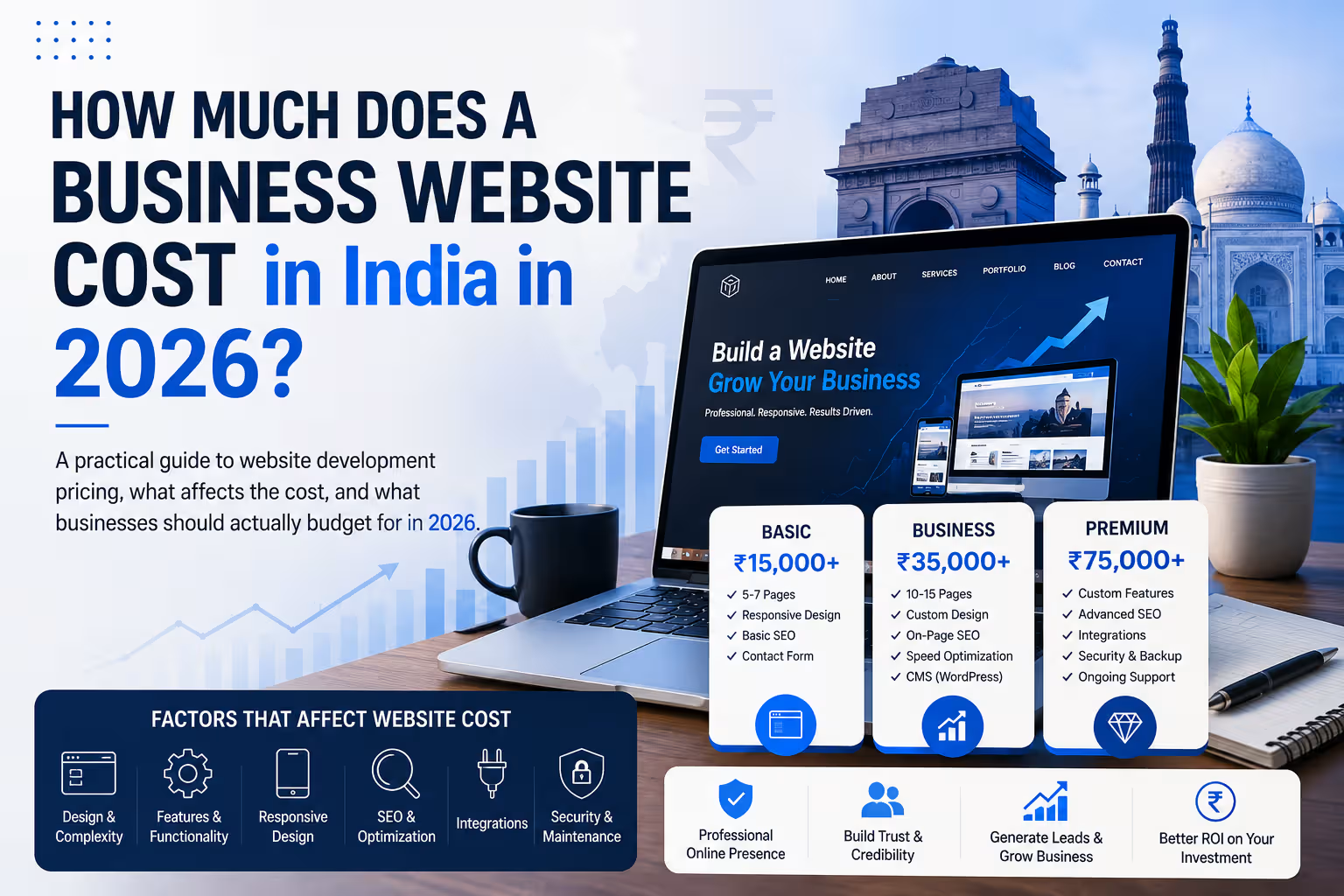
A practical guide to website development pricing, what affects the cost, and what businesses should actually budget for in 2026.

By IndWerk Labs August 13, 2026 10 min read
IndWerk Labs · 2026 Guide

Understanding Business Website Costs in India

Design · Development · Performance · Security · Growth

Quick Answer

A professional business website in India can typically cost anywhere from ₹25,000 to ₹1,25,000+. Advanced websites, e-commerce platforms and custom web applications can move into several lakhs depending on functionality and complexity.

If you're planning to build a website for your business, one of the first questions you're likely to ask is:

"How much will a business website cost?"

In India, the answer can range from a few thousand rupees for a basic template-based website to several lakhs for a custom website, e-commerce platform, marketplace or web application.

The problem is that a range such as ₹10,000 to ₹10,00,000+ doesn't tell a business owner much.

What exactly are you getting for ₹30,000? What makes another website cost ₹1,00,000? And when does it actually make sense to spend more?

Let's break it down.

What Determines the Cost of a Business Website?

Two websites can have the same number of pages and still have completely different development costs.

  • Website type
  • Design requirements
  • Number of pages
  • Features and functionality
  • Third-party integrations
  • Content requirements
  • SEO requirements
  • Performance and security
  • Maintenance and support

The key point: You're not really paying for "a website." You're paying for the design, technology, functionality, content structure, performance, security and expertise required to build it.

Business Website Cost in India: 2026 Pricing

The following ranges are useful for planning purposes. They are not fixed market rates because every project has different requirements.

Website TypeTypical BudgetBest For
Landing Page₹10K – ₹25KCampaigns, startups
Basic Business Website₹25K – ₹50KSmall businesses
Professional Business Website₹50K – ₹1.25LGrowing businesses
Advanced Business Website₹1L – ₹2.5L+Established businesses
E-commerce Website₹75K – ₹3L+Online stores
Custom Web Application₹1.5L – ₹10L+Complex systems
Marketplace / Platform₹3L – ₹15L+Large platforms

1. Landing Page — ₹10,000 to ₹25,000

A landing page is usually a single-page website designed around one specific objective.

  • Generate leads
  • Promote a product
  • Promote an event
  • Collect enquiries
  • Launch a service

2. Basic Business Website — ₹25,000 to ₹50,000

This is the traditional small-business website. It might contain Home, About, Services, Contact, Blog and other essential pages.

WordPress is often a practical choice at this level because it provides a mature content management system without requiring a custom application to be developed from scratch.

3. Professional Business Website — ₹50,000 to ₹1,25,000

This is where a business website becomes more than an online brochure.

  • Custom page layouts
  • Brand-focused design
  • Multiple service pages
  • Lead-generation forms
  • Analytics
  • SEO foundations
  • Schema implementation
  • Performance optimization
  • Security configuration
  • Conversion-focused CTAs

4. Advanced Business Website — ₹1,00,000 to ₹2,50,000+

Advanced websites may contain substantially more functionality.

  • Advanced search
  • Booking systems
  • Member areas
  • Customer dashboards
  • CRM integrations
  • API integrations
  • Advanced forms
  • Automated workflows
  • Custom calculators
  • Multiple user roles

5. E-commerce Website — ₹75,000 to ₹3,00,000+

E-commerce pricing varies considerably. A relatively simple store is very different from an online business with complex inventory, shipping and ERP integrations.

  • Product catalogue
  • Payment gateway
  • Shipping integration
  • Inventory management
  • Customer accounts
  • Coupons
  • Subscriptions
  • ERP or CRM integration

6. Custom Web Applications — ₹1,50,000 to ₹10,00,000+

At this stage, the word "website" can become misleading. A system containing user accounts, dashboards, transactions, APIs, automated workflows and data processing is effectively a web application.

Custom applications can easily cost several lakhs depending on the functionality and technical architecture required.

Don't Forget the Recurring Costs

Development is only one part of the total cost of owning a website.

01

Domain

Your domain needs to be renewed periodically.

02

Hosting

Hosting requirements depend on traffic, performance and application complexity.

03

SSL

Modern business websites should use HTTPS.

04

Maintenance

Updates, backups, security and support may require ongoing investment.

IndWerk Recommendation

Choosing Hosting for Your Business Website

Don't choose hosting solely based on the lowest price. Consider resources, performance, backups, security, support and how easily the hosting can scale with your website.

Affiliate disclosure: Some articles on this site may contain affiliate links. We may earn a commission from qualifying purchases at no additional cost to you.

Questions to Ask Before Accepting a Website Quote

Before choosing a developer or agency, make sure you understand exactly what is included.

  1. How many pages are included?
  2. Is the design custom or template-based?
  3. Is the website mobile responsive?
  4. What SEO work is included?
  5. Who provides the content?
  6. Are hosting and domain included?
  7. Are premium plugins or themes included?
  8. How many revisions are included?
  9. What happens after launch?
  10. Who owns the website and hosting accounts?

The Cheapest Website Isn't Always the Cheapest Option

A ₹15,000 website can look attractive at first. But if it has to be rebuilt after a year because it doesn't represent the brand, performs poorly, cannot be maintained properly or doesn't generate enquiries, the original saving may disappear quickly.

A better question is:
What website does my business need for the next 2–3 years?

Final Verdict

There is no single "correct" price for a business website in India in 2026.

For planning purposes, a professional business website will commonly fall somewhere around ₹25,000 to ₹1,25,000+, while advanced websites, e-commerce projects and custom applications can move into several lakhs.

The most important factors are:

Scope + Design + Functionality + Technology + Content + Integrations + Performance + Security + Support

Don't compare a ₹30,000 template-based website with a ₹1,00,000 custom business website as if they are the same product.

They aren't.

Frequently Asked Questions

A basic five-page website can start around ₹25,000, while a professionally designed and customized business website can cost significantly more.

It can be, particularly for conventional business websites. WordPress provides an existing CMS and ecosystem, reducing the amount of functionality that needs to be built from scratch.

A basic e-commerce website may start around ₹75,000, while sophisticated stores can cost several lakhs depending on products, integrations, payment systems, shipping, inventory and custom functionality.

Not necessarily. Compare the scope, quality, ownership, support, security, performance, technology and deliverables rather than comparing only the headline price.

How to Choose the Right Hosting for a WordPress Business Website?

Hosting & Domains

How to Choose the Right Hosting for a WordPress Business Website

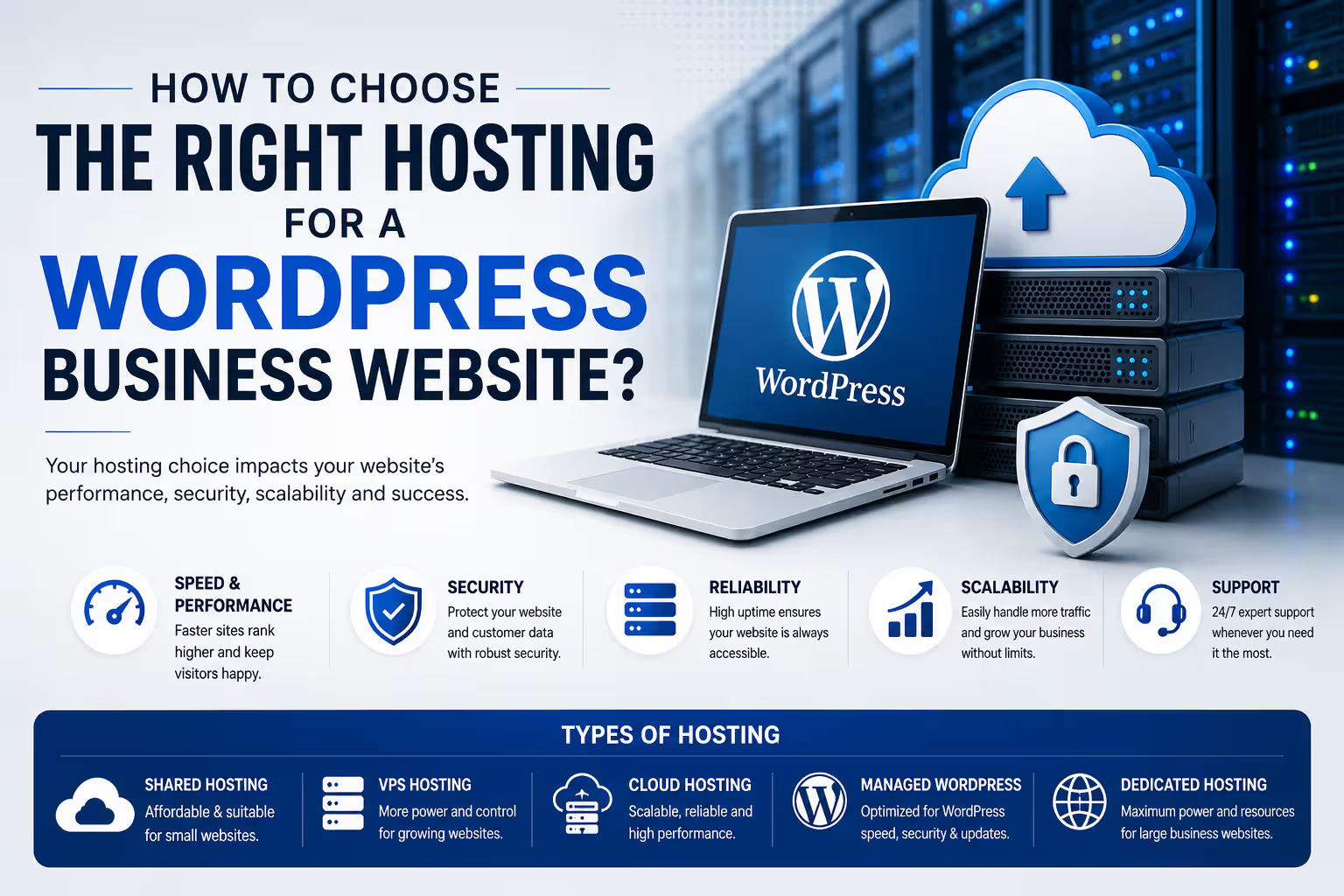
Your hosting provider affects more than where your website lives. Performance, security, backups, scalability and support all depend on the hosting environment behind your WordPress website.

By IndWerk Labs August 2026 8 min read
WordPress Hosting Guide
The right hosting is part of your website infrastructure.
Quick Answer

For most small and medium-sized business websites, the best hosting is not necessarily the cheapest or the most powerful. Look for a host that provides reliable resources, HTTPS, current PHP and database versions, automatic backups, caching, security features, staging where appropriate, good support and enough room for your website to grow.

Choosing a WordPress host can be surprisingly difficult. Almost every provider promises fast servers, high uptime and excellent support. Plans may also look similar on the surface while offering very different resources, backup policies, performance features and renewal prices.

For a business website, hosting should be treated as infrastructure rather than simply another monthly subscription. A few hundred rupees saved on hosting is not particularly useful if the website becomes slow, difficult to restore or unable to handle increased traffic.

What Does WordPress Hosting Actually Do?

WordPress is software that needs a server environment to run. Your hosting provider supplies that environment and the resources required to serve your website to visitors.

At a basic level, hosting provides storage for your website files, a database for your content, server resources for processing requests and a network connection through which visitors access the website.

Modern WordPress hosting can also include additional services such as caching, backups, staging environments, malware protection, CDN integration and managed WordPress updates.

The Main Types of Hosting

You will generally encounter several hosting models when looking for a home for a WordPress website. They are not interchangeable.

01

Shared Hosting

Multiple websites share server resources. It is usually the most affordable option and can be suitable for smaller websites with modest traffic.

02

Managed WordPress Hosting

The hosting environment is specifically optimized around WordPress, with more management, automation and WordPress-specific tooling.

03

Cloud Hosting

Your website runs on cloud infrastructure with more flexibility around resources, scaling and infrastructure configuration.

04

VPS Hosting

A virtual private server provides greater control and dedicated resource allocation, but generally requires more technical administration.

Which Hosting Type Is Best for a Business Website?

There is no universal answer. The appropriate choice depends on the size of the website, traffic, functionality, technical expertise and expected growth.

Hosting TypeBest ForTechnical SkillTypical Cost Level
Shared HostingSmall websites and basic business sitesLowLow
Managed WordPressBusinesses wanting easier WordPress managementLow–MediumMedium
Cloud HostingGrowing websites and higher workloadsMediumMedium–High
VPSDevelopers and businesses needing server controlHighMedium–High
Premium Managed HostingHigh-value, high-traffic or mission-critical websitesLow–MediumHigh

1. Check the Server Environment

Before comparing marketing claims, check whether the hosting environment supports the current WordPress requirements.

WordPress currently recommends modern versions of PHP and database software, together with HTTPS. A host that makes it difficult to maintain current software versions is not a good long-term choice.

Important

Do not choose hosting solely because it says "WordPress compatible". Check the actual PHP, database, HTTPS, storage and resource configuration available on the plan you are purchasing.

2. Look at Resources, Not Just Storage

One of the easiest ways for hosting companies to make plans look attractive is to emphasize storage capacity.

Storage matters, but it is only one part of the equation. CPU allocation, RAM, PHP workers, database performance and server-level caching can have a much greater effect on how a WordPress website behaves.

A business website with 10 GB of content can still be slow if the underlying server resources are inadequate.

3. Understand Backups

Backups should be considered essential for a business website.

Before purchasing a hosting plan, find out how often backups are created, how long they are retained and how easily the website can be restored.

Also determine whether backups are stored separately from the primary website. A backup that cannot be recovered when something goes wrong has limited value.

A practical rule

Do not rely on your hosting provider as your only backup strategy. Important business websites should have an independent backup strategy as well.

4. Check Performance Features

Hosting is only one factor in website speed, but the server still provides the foundation on which everything else operates.

Look for features such as server-side caching, object caching where appropriate, CDN integration, modern storage technology and efficient server software.

However, do not assume that a hosting upgrade automatically makes a poorly optimized website fast.

Large images, excessive plugins, inefficient themes, third-party scripts, poorly configured caching and slow database queries can still create performance problems regardless of the hosting plan.

5. Security Matters More Than a Cheap Monthly Price

A business website can be exposed to automated attacks, vulnerable plugins, compromised administrator accounts, malware and other security problems.

Your hosting environment should therefore support HTTPS and provide sensible security and backup capabilities.

Depending on the hosting model, additional features may include firewalls, malware monitoring, automated updates, isolation between accounts and security-focused server configuration.

6. Do You Need Managed WordPress Hosting?

Managed hosting can be useful when you want the hosting provider to take care of more of the infrastructure and WordPress-specific administration.

This can include automated backups, staging environments, WordPress updates, caching, migration tools and technical support.

The trade-off is usually cost. Managed hosting generally costs more than entry-level shared hosting.

For a business that depends on its website for leads, enquiries or sales, that additional cost can make sense if it reduces operational risk and maintenance effort.

7. Think About Where Your Visitors Are

Your target audience should influence your hosting decision.

If most of your customers are in India, infrastructure and CDN configuration that provide good connectivity to Indian visitors can be useful. If your business serves customers across several countries, a global CDN and strategically distributed infrastructure may become more important.

Hosting location is not the only factor affecting speed, but it is one of the infrastructure decisions worth considering.

8. Don't Ignore Support

Support is easy to overlook when everything is working. It becomes much more important when a website stops working at midnight, an update creates a problem or a migration goes wrong.

Before choosing a provider, understand what the support team actually handles. Some providers primarily support the hosting infrastructure, while others provide more WordPress-specific assistance.

If you are managing the website yourself, good support can be particularly valuable.

9. Compare Renewal Prices

Promotional pricing can make hosting appear significantly cheaper than it will be over the long term.

Always compare the introductory price with the renewal price and check whether important features are included or sold separately.

The cheapest first-year plan is not necessarily the cheapest hosting solution over three or five years.

10. Consider What Your Website Will Become

A website that starts as a five-page company profile may eventually add a blog, lead-generation forms, analytics, integrations, ecommerce, membership features or other functionality.

You do not need to buy enterprise infrastructure on day one. You should, however, avoid an environment that makes normal growth unnecessarily difficult.

IndWerk Recommendation

Choose Hosting Based on the Website's Job

For a small business website, prioritize reliability, backups, security, support and sensible performance features before paying for excessive resources.

If the website becomes more important to revenue generation or starts receiving significant traffic, reassess the hosting environment instead of assuming the original plan will always be sufficient.

Some hosting recommendations on this website may contain affiliate links. We may earn a commission from qualifying purchases at no additional cost to you.

What Should You Actually Check Before Buying?

Current PHP and database support
HTTPS / SSL support
Enough CPU and memory resources for your website
Automatic backups and a practical restoration process
Server-side caching and performance tools
Security features and isolation appropriate to your hosting model
Migration and staging options if you need them
Quality of technical support
Renewal pricing and additional charges
Ability to upgrade as your website grows

How Much Should You Spend on Hosting?

There is no single correct hosting budget for every business.

A simple informational website may work perfectly well on an affordable shared or managed WordPress plan. A business generating substantial revenue through its website may justify significantly more expensive infrastructure.

The important question is not: "What is the cheapest hosting I can buy?"

A better question is: "What level of infrastructure does this website actually require?"

Hosting Is Not the Same as Website Maintenance

Purchasing good hosting does not eliminate the need to maintain WordPress.

WordPress core, themes and plugins still need to be managed. Websites also need security monitoring, backups, performance checks, content updates and periodic technical maintenance.

Hosting provides the infrastructure. Website maintenance keeps the application running properly on that infrastructure.

The Bottom Line

The right WordPress hosting plan is the one that matches the requirements of your business rather than the one with the longest feature list.

For a typical business website, start by looking for a reliable environment with modern software support, HTTPS, backups, security, adequate resources, performance features and responsive support.

As your website becomes more important to the business, revisit the hosting decision. Moving from basic shared hosting to managed WordPress, cloud or higher-performance infrastructure can make sense when the website's workload and business value justify it.

Good hosting should stay out of your way. You should be able to focus on the website and the business rather than constantly worrying about the server.

Frequently Asked Questions

What is the best hosting for a WordPress business website?

There is no universally best provider. For most small businesses, prioritize reliability, backups, security, performance and support. Larger or higher-traffic websites may benefit from managed or cloud infrastructure.

Is shared hosting good enough for a business website?

It can be. A relatively small business website with modest traffic may work well on a good shared hosting plan. The important factors are the actual resources, server configuration, backup system and support available on the plan.

Is managed WordPress hosting worth the extra cost?

It can be worthwhile when you value easier management, automated backups, staging, WordPress-specific optimization and support. Whether the additional cost is justified depends on the importance and complexity of the website.

Does expensive hosting automatically make WordPress faster?

No. Hosting is only one part of website performance. Images, plugins, themes, databases, scripts, caching and website architecture also affect speed.

How much hosting does a small business website need?

Requirements vary. A basic company website usually needs far fewer resources than an ecommerce store, membership platform or high-traffic content website. Start with a sensible plan and upgrade when actual usage requires it.

Should I choose hosting based on the cheapest introductory price?

No. Compare renewal pricing, included features, resource limits, backup policies and support. The introductory price may only apply for the initial subscription period.

Hosting is infrastructure. Choose it based on what your business website needs today—and what it is realistically expected to need next.