
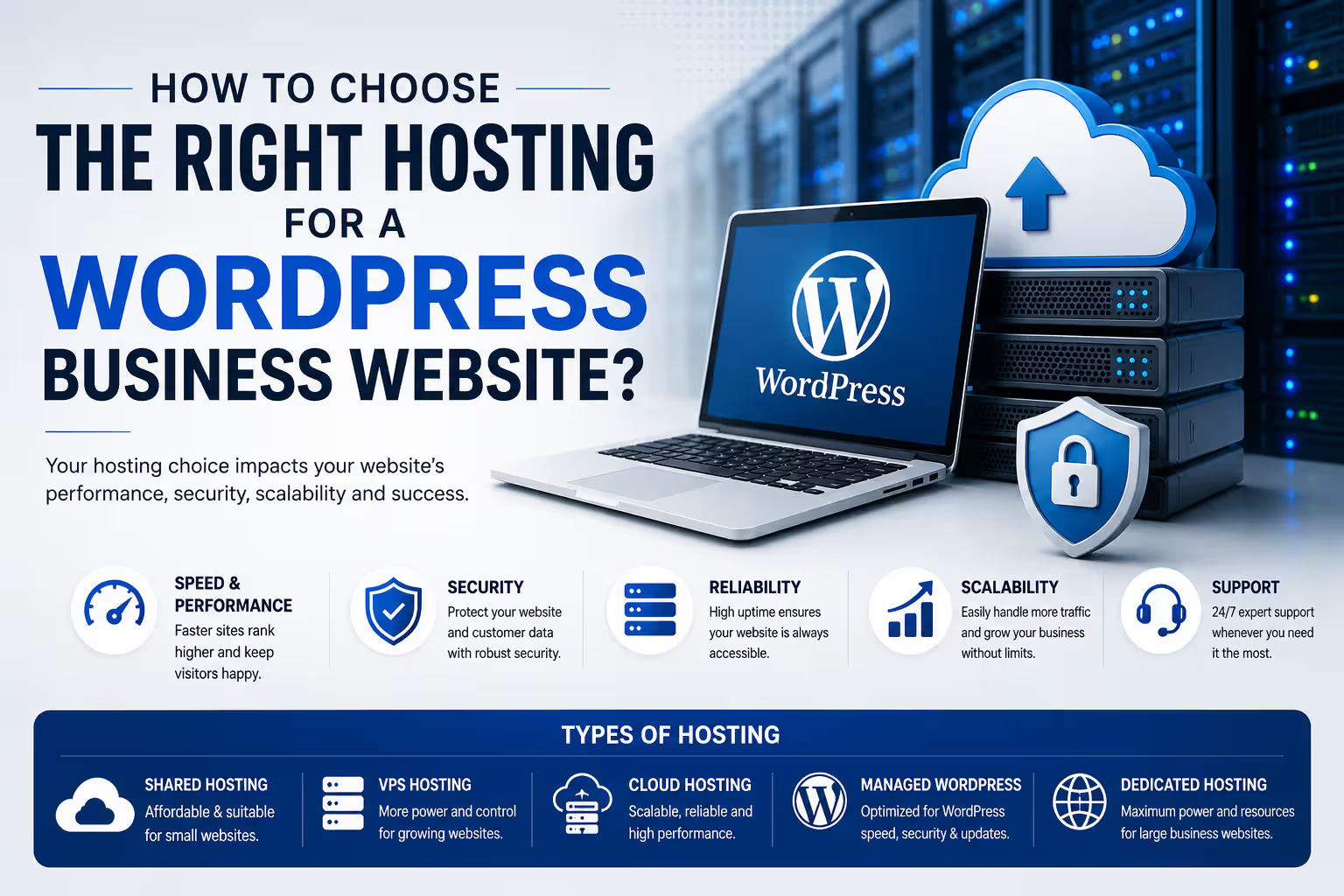
How to Choose the Right Hosting for a WordPress Business Website
Your hosting provider affects more than where your website lives. Performance, security, backups, scalability and support all depend on the hosting environment behind your WordPress website.
For most small and medium-sized business websites, the best hosting is not necessarily the cheapest or the most powerful. Look for a host that provides reliable resources, HTTPS, current PHP and database versions, automatic backups, caching, security features, staging where appropriate, good support and enough room for your website to grow.
Choosing a WordPress host can be surprisingly difficult. Almost every provider promises fast servers, high uptime and excellent support. Plans may also look similar on the surface while offering very different resources, backup policies, performance features and renewal prices.
For a business website, hosting should be treated as infrastructure rather than simply another monthly subscription. A few hundred rupees saved on hosting is not particularly useful if the website becomes slow, difficult to restore or unable to handle increased traffic.
What Does WordPress Hosting Actually Do?
WordPress is software that needs a server environment to run. Your hosting provider supplies that environment and the resources required to serve your website to visitors.
At a basic level, hosting provides storage for your website files, a database for your content, server resources for processing requests and a network connection through which visitors access the website.
Modern WordPress hosting can also include additional services such as caching, backups, staging environments, malware protection, CDN integration and managed WordPress updates.
The Main Types of Hosting
You will generally encounter several hosting models when looking for a home for a WordPress website. They are not interchangeable.
Shared Hosting
Multiple websites share server resources. It is usually the most affordable option and can be suitable for smaller websites with modest traffic.
Managed WordPress Hosting
The hosting environment is specifically optimized around WordPress, with more management, automation and WordPress-specific tooling.
Cloud Hosting
Your website runs on cloud infrastructure with more flexibility around resources, scaling and infrastructure configuration.
VPS Hosting
A virtual private server provides greater control and dedicated resource allocation, but generally requires more technical administration.
Which Hosting Type Is Best for a Business Website?
There is no universal answer. The appropriate choice depends on the size of the website, traffic, functionality, technical expertise and expected growth.
| Hosting Type | Best For | Technical Skill | Typical Cost Level |
|---|---|---|---|
| Shared Hosting | Small websites and basic business sites | Low | Low |
| Managed WordPress | Businesses wanting easier WordPress management | Low–Medium | Medium |
| Cloud Hosting | Growing websites and higher workloads | Medium | Medium–High |
| VPS | Developers and businesses needing server control | High | Medium–High |
| Premium Managed Hosting | High-value, high-traffic or mission-critical websites | Low–Medium | High |
1. Check the Server Environment
Before comparing marketing claims, check whether the hosting environment supports the current WordPress requirements.
WordPress currently recommends modern versions of PHP and database software, together with HTTPS. A host that makes it difficult to maintain current software versions is not a good long-term choice.
Do not choose hosting solely because it says "WordPress compatible". Check the actual PHP, database, HTTPS, storage and resource configuration available on the plan you are purchasing.
2. Look at Resources, Not Just Storage
One of the easiest ways for hosting companies to make plans look attractive is to emphasize storage capacity.
Storage matters, but it is only one part of the equation. CPU allocation, RAM, PHP workers, database performance and server-level caching can have a much greater effect on how a WordPress website behaves.
A business website with 10 GB of content can still be slow if the underlying server resources are inadequate.
3. Understand Backups
Backups should be considered essential for a business website.
Before purchasing a hosting plan, find out how often backups are created, how long they are retained and how easily the website can be restored.
Also determine whether backups are stored separately from the primary website. A backup that cannot be recovered when something goes wrong has limited value.
Do not rely on your hosting provider as your only backup strategy. Important business websites should have an independent backup strategy as well.
4. Check Performance Features
Hosting is only one factor in website speed, but the server still provides the foundation on which everything else operates.
Look for features such as server-side caching, object caching where appropriate, CDN integration, modern storage technology and efficient server software.
However, do not assume that a hosting upgrade automatically makes a poorly optimized website fast.
Large images, excessive plugins, inefficient themes, third-party scripts, poorly configured caching and slow database queries can still create performance problems regardless of the hosting plan.
5. Security Matters More Than a Cheap Monthly Price
A business website can be exposed to automated attacks, vulnerable plugins, compromised administrator accounts, malware and other security problems.
Your hosting environment should therefore support HTTPS and provide sensible security and backup capabilities.
Depending on the hosting model, additional features may include firewalls, malware monitoring, automated updates, isolation between accounts and security-focused server configuration.
6. Do You Need Managed WordPress Hosting?
Managed hosting can be useful when you want the hosting provider to take care of more of the infrastructure and WordPress-specific administration.
This can include automated backups, staging environments, WordPress updates, caching, migration tools and technical support.
The trade-off is usually cost. Managed hosting generally costs more than entry-level shared hosting.
For a business that depends on its website for leads, enquiries or sales, that additional cost can make sense if it reduces operational risk and maintenance effort.
7. Think About Where Your Visitors Are
Your target audience should influence your hosting decision.
If most of your customers are in India, infrastructure and CDN configuration that provide good connectivity to Indian visitors can be useful. If your business serves customers across several countries, a global CDN and strategically distributed infrastructure may become more important.
Hosting location is not the only factor affecting speed, but it is one of the infrastructure decisions worth considering.
8. Don't Ignore Support
Support is easy to overlook when everything is working. It becomes much more important when a website stops working at midnight, an update creates a problem or a migration goes wrong.
Before choosing a provider, understand what the support team actually handles. Some providers primarily support the hosting infrastructure, while others provide more WordPress-specific assistance.
If you are managing the website yourself, good support can be particularly valuable.
9. Compare Renewal Prices
Promotional pricing can make hosting appear significantly cheaper than it will be over the long term.
Always compare the introductory price with the renewal price and check whether important features are included or sold separately.
The cheapest first-year plan is not necessarily the cheapest hosting solution over three or five years.
10. Consider What Your Website Will Become
A website that starts as a five-page company profile may eventually add a blog, lead-generation forms, analytics, integrations, ecommerce, membership features or other functionality.
You do not need to buy enterprise infrastructure on day one. You should, however, avoid an environment that makes normal growth unnecessarily difficult.
Choose Hosting Based on the Website's Job
For a small business website, prioritize reliability, backups, security, support and sensible performance features before paying for excessive resources.
If the website becomes more important to revenue generation or starts receiving significant traffic, reassess the hosting environment instead of assuming the original plan will always be sufficient.
What Should You Actually Check Before Buying?
How Much Should You Spend on Hosting?
There is no single correct hosting budget for every business.
A simple informational website may work perfectly well on an affordable shared or managed WordPress plan. A business generating substantial revenue through its website may justify significantly more expensive infrastructure.
The important question is not: "What is the cheapest hosting I can buy?"
A better question is: "What level of infrastructure does this website actually require?"
Hosting Is Not the Same as Website Maintenance
Purchasing good hosting does not eliminate the need to maintain WordPress.
WordPress core, themes and plugins still need to be managed. Websites also need security monitoring, backups, performance checks, content updates and periodic technical maintenance.
Hosting provides the infrastructure. Website maintenance keeps the application running properly on that infrastructure.
The Bottom Line
The right WordPress hosting plan is the one that matches the requirements of your business rather than the one with the longest feature list.
For a typical business website, start by looking for a reliable environment with modern software support, HTTPS, backups, security, adequate resources, performance features and responsive support.
As your website becomes more important to the business, revisit the hosting decision. Moving from basic shared hosting to managed WordPress, cloud or higher-performance infrastructure can make sense when the website's workload and business value justify it.
Good hosting should stay out of your way. You should be able to focus on the website and the business rather than constantly worrying about the server.
Frequently Asked Questions
What is the best hosting for a WordPress business website?
There is no universally best provider. For most small businesses, prioritize reliability, backups, security, performance and support. Larger or higher-traffic websites may benefit from managed or cloud infrastructure.
Is shared hosting good enough for a business website?
It can be. A relatively small business website with modest traffic may work well on a good shared hosting plan. The important factors are the actual resources, server configuration, backup system and support available on the plan.
Is managed WordPress hosting worth the extra cost?
It can be worthwhile when you value easier management, automated backups, staging, WordPress-specific optimization and support. Whether the additional cost is justified depends on the importance and complexity of the website.
Does expensive hosting automatically make WordPress faster?
No. Hosting is only one part of website performance. Images, plugins, themes, databases, scripts, caching and website architecture also affect speed.
How much hosting does a small business website need?
Requirements vary. A basic company website usually needs far fewer resources than an ecommerce store, membership platform or high-traffic content website. Start with a sensible plan and upgrade when actual usage requires it.
Should I choose hosting based on the cheapest introductory price?
No. Compare renewal pricing, included features, resource limits, backup policies and support. The introductory price may only apply for the initial subscription period.