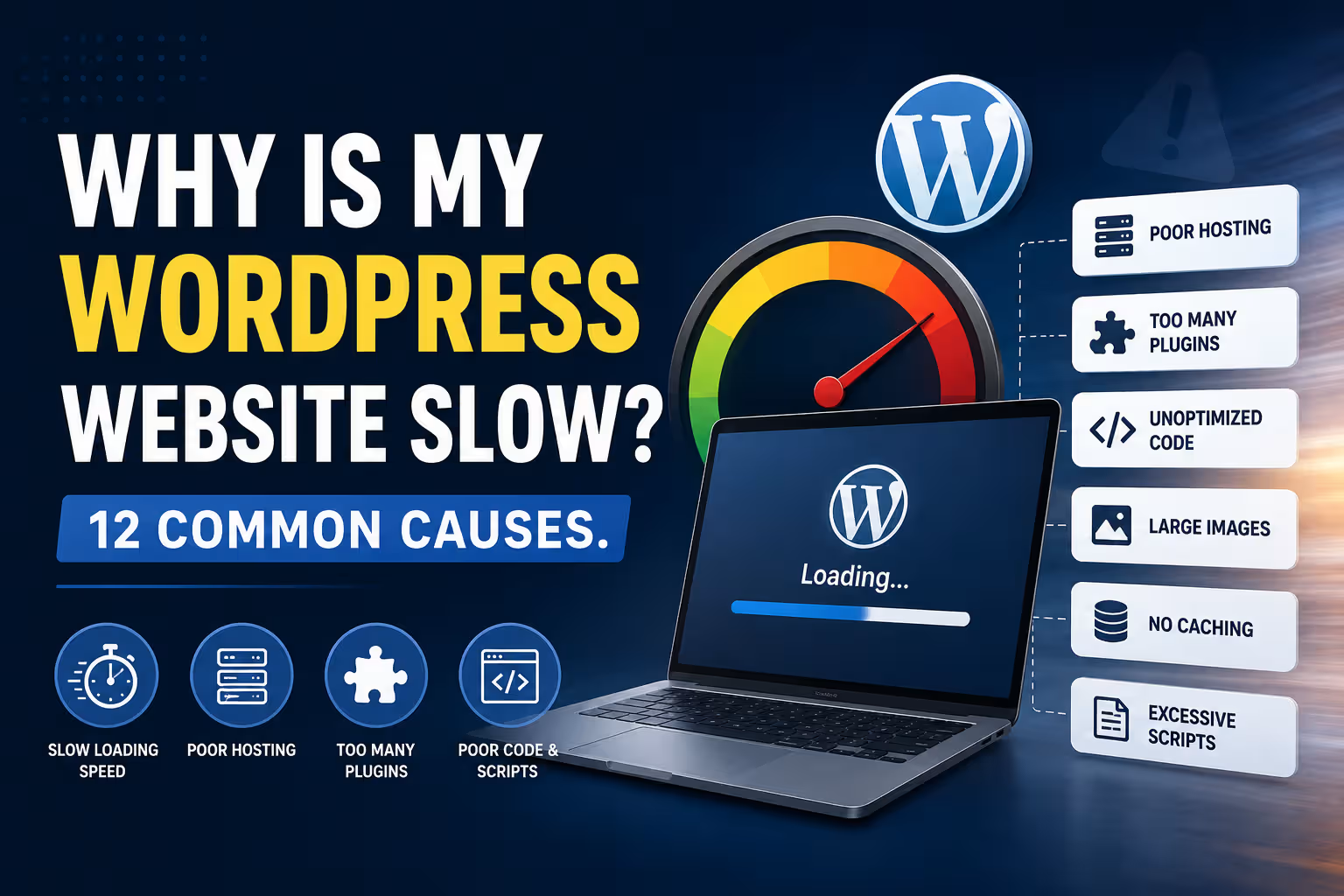
Why Is My WordPress Website Slow? 12 Common Causes.

Website Performance

Why Is My WordPress Website Slow? 12 Common Causes

A slow WordPress website can be caused by much more than a bad hosting plan. Images, plugins, themes, third-party scripts, database queries, caching and poor configuration can all affect performance. Here are 12 common causes and what you can do about them.

Website Performance 8–10 min read
Quick Answer

A slow WordPress website usually has multiple performance factors rather than one single problem.

Common causes include oversized images, too many plugins, inefficient themes, poor hosting, lack of caching, excessive JavaScript, third-party services, database bloat and poorly optimised pages.

The correct solution is not always to buy better hosting. A faster server cannot fully compensate for a website that sends excessive data, runs unnecessary scripts or performs inefficient database queries.

The best approach is to measure the website first, identify the actual bottlenecks and then optimise the areas responsible for the slowdown.

What Does "Slow" Actually Mean?

Before fixing a slow website, it helps to understand what website performance actually means.

A page can feel slow because:

  • The server takes too long to respond.
  • The browser has to download too much data.
  • Large images take too long to load.
  • JavaScript blocks the page from becoming interactive.
  • Third-party services load slowly.
  • The page takes too long to become visually complete.

Modern performance testing therefore looks at several different measurements rather than one universal "speed" number.

Google's Core Web Vitals include Largest Contentful Paint (LCP), Interaction to Next Paint (INP), and Cumulative Layout Shift (CLS), which measure different aspects of loading, responsiveness and visual stability.

A website can have a good-looking homepage and still deliver a poor user experience if the browser has too much work to do.

01. Large and Unoptimised Images

Images are one of the most common causes of slow WordPress pages.

A modern smartphone can easily produce photographs several megabytes in size. Uploading those original files directly to a website can create unnecessary download weight.

Common image problems include:

  • Images that are much larger than their displayed dimensions
  • Uncompressed JPEG or PNG files
  • Using PNG where a more efficient format is appropriate
  • Missing responsive image sizes
  • Large background images
  • Images loaded before they are needed

Modern formats such as WebP and AVIF can reduce image file sizes significantly in suitable situations.

Original Image → Resize → Compress → Modern Format → Responsive Delivery

Image optimisation is often one of the simplest ways to reduce page weight.

02. Too Many Plugins

WordPress plugins are useful because they add functionality without requiring everything to be developed from scratch.

But every plugin adds potential code, database activity, assets or background processing.

The problem is not simply the number of plugins.

Plugin quality and what the plugin actually does matter more than the raw count.

A lightweight plugin may have very little performance impact, while one poorly designed plugin can introduce substantial database queries or front-end scripts.

Businesses should periodically review:

  • Plugins that are no longer needed
  • Duplicate functionality
  • Plugins loading assets site-wide unnecessarily
  • Abandoned plugins
  • Plugins performing expensive database operations

03. A Heavy or Poorly Optimised Theme

Your WordPress theme determines a significant part of the page structure, CSS and JavaScript that the browser needs to process.

Some themes provide hundreds of features that a particular business website may never use.

A theme can become especially heavy when combined with:

  • Multiple page builders
  • Animation systems
  • Sliders
  • Large icon libraries
  • Multiple font files
  • Extra design frameworks

This does not mean that every visual theme or page builder is inherently slow. Implementation matters.

A well-configured website can perform well with a page builder, while a badly configured lightweight theme can still produce a poor experience.

04. Poor Hosting

Hosting is another important part of website performance.

Shared hosting can be perfectly adequate for many small business websites, but performance can suffer when server resources are limited or heavily shared.

Hosting-related issues can include:

  • Slow server response
  • Insufficient CPU resources
  • Insufficient memory
  • Slow storage
  • Resource contention
  • Poor server configuration
  • Long distances between visitors and the server

Server response time is often discussed using Time to First Byte (TTFB). It measures how quickly the browser begins receiving a response from the server.

If the server itself is slow, front-end optimisation has a limit.

But don't blame hosting automatically

Moving to a more expensive server can improve performance, but it will not fix a page that is sending enormous images, loading unnecessary scripts or performing inefficient database queries.

05. No Page Caching

WordPress is dynamic.

When a visitor requests a page, WordPress may need to execute PHP code, query the database and assemble the response.

Caching can reduce this repeated work by storing a version of the generated page so that it can be delivered more efficiently.

Visitor → Cache → Fast Response

Without effective caching, the server may repeatedly perform work that could have been avoided.

Caching can exist at different levels, including:

  • Browser caching
  • Page caching
  • Object caching
  • Server-side caching
  • CDN caching

06. Too Much JavaScript

JavaScript makes modern websites interactive, but excessive JavaScript can create significant browser workload.

A page may load scripts for:

  • Sliders
  • Animations
  • Popups
  • Forms
  • Analytics
  • Chat widgets
  • Social media feeds
  • Marketing tools
  • Page builder functionality

The browser has to download, parse, compile and execute JavaScript.

Excessive scripts can therefore affect responsiveness, especially on mobile devices with limited processing resources.

Removing unnecessary scripts is often better than simply trying to load them faster.

07. Too Many Third-Party Services

Modern websites often depend on external services.

For example:

  • Google Analytics
  • Advertising platforms
  • Chat widgets
  • Social feeds
  • Heatmaps
  • CRM forms
  • Payment services
  • Video embeds
  • Font services

Each external service can introduce additional network requests and processing.

More importantly, you do not completely control the performance of an external server.

If a third-party service responds slowly, the visitor can sometimes experience a slower page as a result.

Better approach

Review every third-party service and ask whether it is genuinely necessary. Remove services that no longer provide meaningful business value.

08. Poorly Optimised Fonts

Typography affects performance too.

A website may load multiple font families, weights and styles even though only a few are actually used.

For example, loading:

4 Font Families × 6 Weights × Multiple Styles

can create a surprising amount of additional font data.

Businesses should generally load only the fonts and weights they actually need.

System fonts or locally hosted optimised font files can also be considered depending on the website's requirements.

09. Database Bloat

WordPress stores a significant amount of information in its database.

Over time, the database can accumulate unnecessary data such as:

  • Post revisions
  • Expired transients
  • Spam comments
  • Unused metadata
  • Plugin-generated records
  • Large option values

Database bloat does not automatically make every website slow, but large or inefficient database operations can contribute to performance problems.

Some plugins can also create large amounts of data that remain in the database even after the plugin is no longer active.

Database optimisation should therefore be performed carefully rather than blindly deleting tables or records.

10. No CDN or Poor Content Delivery

A Content Delivery Network, or CDN, can distribute static website resources across multiple locations.

This can reduce the physical distance between the visitor and the resources they need to download.

Website Server → CDN → Visitor

CDNs can be particularly useful when a website serves visitors across different regions or countries.

However, a CDN is not a universal solution.

If the origin server is poorly configured or the page itself is excessively heavy, putting a CDN in front of it will not magically solve every performance issue.

11. Sliders, Videos and Heavy Visual Effects

Businesses often want visually impressive websites.

Large sliders, autoplay videos, animations and interactive effects can make a website look impressive while significantly increasing the amount of work required to render the page.

Common performance-heavy elements include:

  • Full-screen background videos
  • Multiple slider images
  • Large animated sections
  • Parallax effects
  • Video backgrounds
  • Multiple embedded videos

The solution is not necessarily to remove all visual elements.

Instead, ask whether each element contributes to the business objective.

A visual effect that adds five seconds of complexity but contributes nothing to conversions is probably not worth keeping.

12. Poorly Configured Caching and Performance Plugins

Installing a caching plugin does not automatically make a website fast.

Performance plugins often have many configuration options, and some settings can conflict with themes, plugins or dynamic functionality.

Problems can occur when businesses enable everything without testing.

For example:

  • JavaScript optimisation can break interactive elements.
  • CSS optimisation can affect page styling.
  • Lazy loading can interfere with important above-the-fold images.
  • Cache settings can interfere with logged-in or dynamic content.
  • Multiple optimisation systems can duplicate the same work.

Performance optimisation should therefore be tested after each significant change.

What About PageSpeed Insights?

Google PageSpeed Insights is useful, but businesses sometimes misunderstand what its score represents.

A PageSpeed score is not the same thing as a universal measurement of how good a website is.

Performance tools measure specific aspects of loading and responsiveness. Results can also vary based on the page, device, network conditions and implementation.

More important than obsessing over a single score is understanding what is actually causing the performance problem.

ProblemLikely Area to Investigate
Slow server responseHosting, server configuration, caching, database or backend code
Large page sizeImages, videos, fonts and other assets
High JavaScript workloadPlugins, themes, page builders and third-party scripts
Layout shiftsImages, fonts, advertisements and dynamically inserted content
Slow mobile experiencePage weight, JavaScript, images and device processing

How to Find the Real Cause of a Slow WordPress Website

The best optimisation process starts with measurement.

Test → Identify → Optimise → Test Again → Monitor

Start by testing the actual pages that matter to the business.

This may include:

  • Homepage
  • Service pages
  • Landing pages
  • Blog posts
  • Product pages
  • Contact pages

A website may have one very slow page while the rest of the site performs normally.

Testing the homepage alone therefore does not necessarily tell you how the entire website performs.

Should You Upgrade Your Hosting?

Sometimes.

Hosting should be upgraded when the existing environment genuinely lacks the resources or performance characteristics required by the website.

But upgrading hosting should not be the first response to every performance problem.

SituationLikely Response
Huge imagesOptimise images
Unused pluginsRemove or replace them
Slow server responseInvestigate hosting and backend performance
No cachingImplement suitable caching
Heavy JavaScriptReduce, defer or remove unnecessary scripts
High traffic or insufficient resourcesConsider upgrading hosting infrastructure

Why Mobile Performance Deserves Special Attention

A website that feels fast on a powerful desktop computer may feel significantly slower on a mobile device.

Mobile users can have:

  • Slower connections
  • Less processing power
  • Less available memory
  • Smaller screens
  • More variable network conditions

This means mobile performance should be tested independently rather than assuming that desktop performance represents the entire user experience.

For many business websites, the mobile experience is the more important performance target.

What Not to Do When Your WordPress Website Is Slow

Performance optimisation can sometimes become counterproductive.

Avoid blindly:

  • Installing multiple caching plugins
  • Deleting database tables without understanding them
  • Disabling scripts without testing
  • Removing plugins that provide essential functionality
  • Changing hosting without measuring the existing bottleneck
  • Chasing a perfect PageSpeed score at the expense of usability

The objective is not to make a testing tool happy.

The objective is to make the website fast, stable, usable and effective for real visitors.

Performance is an ongoing process

A website that is fast today can become slower later when new plugins, images, tracking scripts, content and design features are added. Performance should therefore be monitored as the website evolves.

Final Verdict

A slow WordPress website rarely has just one possible cause.

The problem can come from images, plugins, themes, hosting, caching, JavaScript, third-party services, fonts, databases, CDNs or simply an overly complex page.

The right solution is therefore not to install another optimisation plugin or immediately move to a more expensive hosting plan.

Start by measuring the website, identify the bottleneck, make a targeted change and test again.

A well-optimised WordPress website does not need to eliminate every feature. It needs to use its resources intelligently.

Don't optimise for a score. Optimise for the person waiting for your website to load.

Frequently Asked Questions

Why is my WordPress website so slow?

Common causes include large images, too many or poorly optimised plugins, heavy themes, slow hosting, missing caching, excessive JavaScript, third-party services and inefficient database operations.

Can too many WordPress plugins slow down a website?

They can, but the number of plugins alone does not determine performance. Plugin quality, functionality, database activity and the assets each plugin loads are more important factors.

Does changing hosting make WordPress faster?

It can improve performance when the existing hosting environment is a bottleneck. However, better hosting will not automatically fix oversized images, excessive JavaScript, poorly configured plugins or inefficient code.

How do I speed up my WordPress website?

Start by measuring the website and identifying the actual bottleneck. Common improvements include image optimisation, caching, plugin cleanup, reducing unnecessary JavaScript, improving hosting and optimising third-party resources.

Are images one of the main causes of slow websites?

Yes. Large and poorly optimised images can contribute significantly to page weight and loading time. Images should generally be resized, compressed and delivered in appropriate modern formats where suitable.

Does a caching plugin automatically make WordPress fast?

No. Caching can substantially improve performance, but configuration matters. Other problems such as large images, excessive JavaScript, slow hosting or poorly designed pages can remain even when caching is enabled.

Why is my WordPress website fast on desktop but slow on mobile?

Mobile devices generally have less processing power and may operate on slower or more variable network connections. Large images, JavaScript and complex page layouts can therefore have a greater impact on mobile performance.

Is a PageSpeed score of 100 necessary?

No. A high score can be useful, but the goal should be a fast, responsive, stable and usable website. Performance should be evaluated using real performance metrics and the actual user experience rather than one score alone.

Can a WordPress website become slow over time?

Yes. New plugins, images, tracking scripts, content, database records and design features can gradually increase the amount of work required to load a website. Regular performance monitoring can help identify these changes before they become major problems.
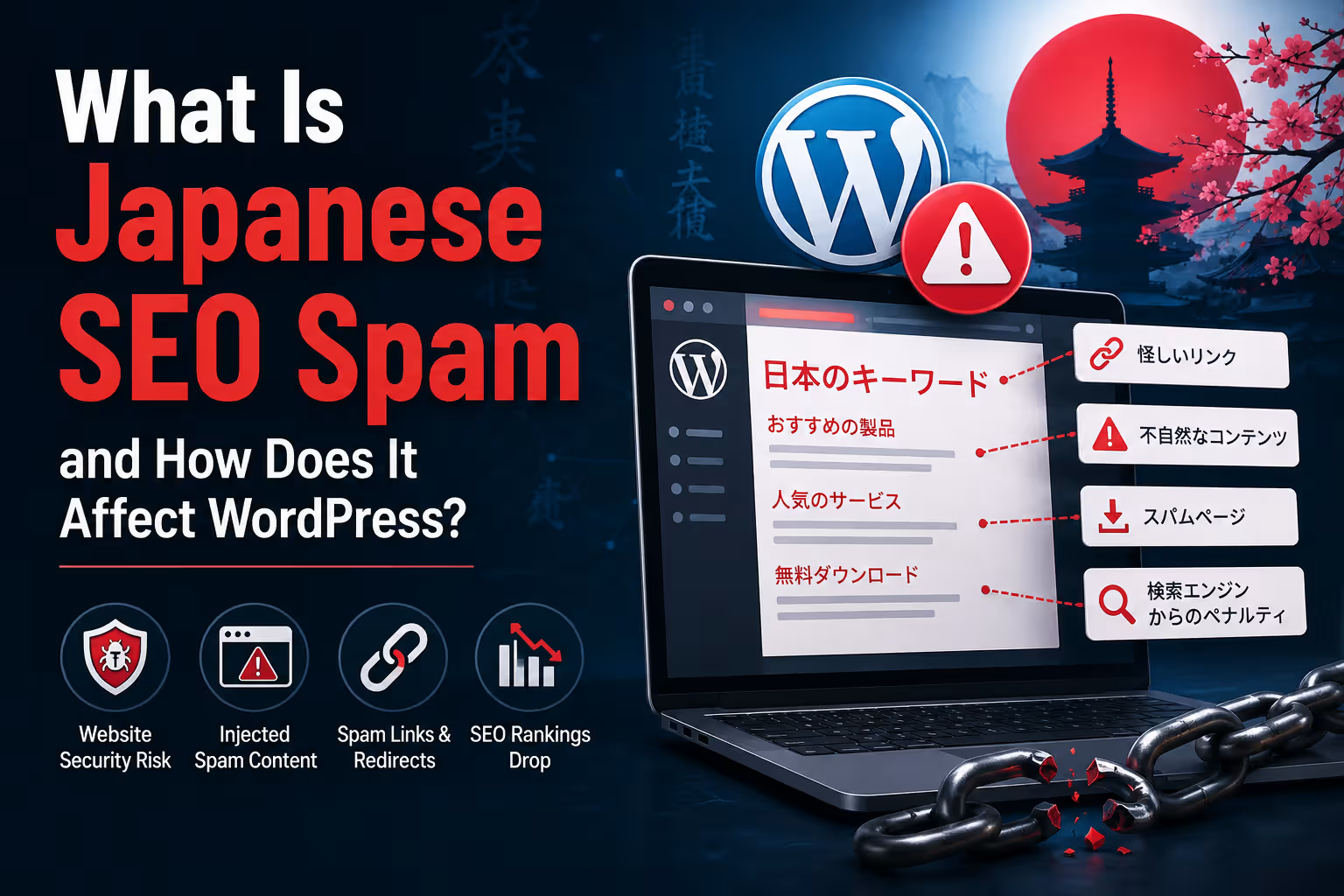
What Is Japanese SEO Spam and How Does It Affect WordPress?

WordPress Security

What Is Japanese SEO Spam and How Does It Affect WordPress?

Japanese SEO spam is a type of website compromise in which attackers inject Japanese-language pages, links or search content into a website. WordPress sites can be affected when attackers gain unauthorised access through vulnerable software, compromised credentials or other security weaknesses.

WordPress Security 8–10 min read
Quick Answer

Japanese SEO spam is usually a symptom of a compromised website, not a normal SEO technique.

Attackers compromise a website and create spam pages, links, redirects or other hidden content, often involving Japanese-language text, products or unrelated commercial keywords.

On WordPress, the injected content can appear in the database, files, themes, plugins or other parts of the website. Some attacks are designed specifically to remain hidden from normal visitors while exposing spam content to search-engine crawlers.

Cleaning the visible spam is not always enough. The underlying security vulnerability or backdoor must also be identified and removed.

What Is Japanese SEO Spam?

Japanese SEO spam is commonly used to describe a type of website hack where attackers inject Japanese-language spam content into a compromised website.

The injected content may consist of:

  • Japanese-language pages
  • Fake product pages
  • Spam category pages
  • Unwanted links
  • Commercial keywords
  • Automatically generated content
  • Hidden links
  • Redirects

The purpose is generally not to improve the legitimate website.

Attackers are trying to use the website's existing domain, authority or search visibility to promote unrelated content.

If a business website suddenly starts appearing in Google for hundreds or thousands of unrelated Japanese search queries, treat it as a potential security incident.

Why Is It Called "Japanese" SEO Spam?

The name comes from one of the most visible forms of this type of attack: Japanese-language spam pages appearing on compromised websites.

However, the underlying technique is not limited to Japan or the Japanese language.

Attackers may use different languages and commercial topics depending on the campaign.

The important point is the unauthorised injection of content, not the language itself.

01. How Does Japanese SEO Spam Get Onto a WordPress Website?

There is no single method.

A compromised WordPress site may have been accessed through a number of possible weaknesses.

Vulnerable plugins

An outdated or vulnerable plugin can potentially provide an attacker with a way to modify files, database content or other website resources.

Vulnerable themes

Themes can also contain security weaknesses or malicious code, particularly when obtained from untrusted sources.

Compromised administrator accounts

Weak, reused or stolen passwords can allow attackers to log into WordPress and make changes using legitimate administrative access.

Compromised hosting or FTP credentials

If an attacker gains access to the hosting account or file transfer credentials, they may be able to modify website files directly.

Existing malware or backdoors

A previous compromise may leave behind malicious code that gives attackers persistent access even after some visible spam has been removed.

02. What Does Japanese SEO Spam Look Like?

One reason these attacks can go unnoticed is that the website may appear completely normal when the owner visits it.

Meanwhile, search engines may discover hundreds or thousands of unexpected URLs.

Common warning signs include:

  • Unexpected Japanese pages appearing in search results
  • Large numbers of new URLs that nobody created
  • Unusual product or shopping pages
  • Spam keywords appearing in Google Search Console
  • Unexpected redirects
  • Unknown files appearing on the server
  • Unrecognised WordPress administrator accounts
  • Unexpected changes to existing pages
  • Sudden increases in indexed URLs

In some cases, the spam pages may not be linked from the visible website at all.

They may exist only in the database or be generated dynamically when a particular URL is requested.

03. Why Can the Website Owner See Nothing?

This is one of the more confusing aspects of SEO spam attacks.

The attacker may deliberately configure the compromised website to behave differently depending on the visitor.

Normal Visitor → Normal Website
Search Crawler → Spam Content

In other cases, the spam may simply exist on obscure URLs that the owner has never visited.

This is why searching for your own homepage is not enough to determine whether a website has been compromised.

Website owners should also inspect search results, Search Console, server files, database content and security scans when suspicious activity is discovered.

04. How Japanese SEO Spam Can Affect Google Search

The SEO consequences can be significant.

A compromised website may suddenly contain large numbers of irrelevant URLs that search engines can discover and potentially index.

Attackers may also inject spam links, redirects or unwanted canonical references.

Google specifically notes that malicious hacks can introduce redirects or cross-domain canonical annotations that cause search systems to select malicious or spammy URLs instead of the legitimate URL. :contentReference[oaicite:0]{index=0}

Possible consequences include:

  • Unwanted URLs appearing in search results
  • Search visibility problems
  • Spam warnings
  • Loss of organic traffic
  • Confusion around the website's indexed content
  • Search-result reputation problems

The SEO problem is therefore often a consequence of the underlying security compromise.

05. It Can Damage a Business's Reputation

Imagine a customer searches for your company and finds:

Your legitimate website

Hundreds of unrelated Japanese product pages

Suspicious search results

Unexpected redirects

Even if the business itself had nothing to do with the spam, the domain can appear compromised or untrustworthy.

For businesses that depend heavily on online leads, this can have a direct commercial impact.

06. Japanese SEO Spam Can Exist in the WordPress Database

One of the important things to understand about WordPress security is that not all malicious content is stored in obvious PHP files.

Attackers can potentially insert unwanted content into database tables.

Depending on the attack, suspicious content may appear in areas such as:

  • Posts
  • Pages
  • Post metadata
  • Options
  • Users
  • User metadata
  • Plugin-generated data

This means deleting one suspicious file may not completely clean a compromised website.

A proper investigation needs to consider both files and database content.

07. Attackers May Also Create Hidden Admin Users

Another important warning sign is an administrator account that nobody recognises.

Attackers may create additional accounts so they can regain access after the original vulnerability is fixed.

WordPress's own hacked-site guidance recommends checking for unauthorised behaviour such as the creation of new users and resetting access after a compromise. :contentReference[oaicite:1]{index=1}

This is why a security cleanup should include a review of:

  • WordPress administrator accounts
  • User roles
  • Database users
  • Hosting accounts
  • FTP or SFTP accounts
  • API credentials

08. How Do You Know If Your WordPress Site Has Japanese SEO Spam?

There are several indicators worth checking.

Check Google Search Console

Look for unexpected pages, search queries, indexing activity, security notifications and other unusual changes.

Search Google for your domain

Search using your domain and look for unexpected pages or languages. Search queries can reveal content that is not obvious from the website itself.

Run a malware scan

A security scanner can inspect WordPress files and identify suspicious modifications or known malicious patterns.

Inspect WordPress users

Check whether unknown administrator accounts or other suspicious users exist.

Inspect recently modified files

Unexpected changes to theme files, plugins or other PHP files can provide useful clues about a compromise.

09. What Should You Do If You Find Japanese SEO Spam?

Do not simply delete the visible spam pages and assume the problem is solved.

The first objective should be to determine whether the site is actually compromised and identify how the attacker gained access.

A sensible response includes:

Detect → Isolate → Backup → Investigate → Clean → Patch → Reset Access → Monitor

WordPress recommends documenting the symptoms, scanning the website, checking with the hosting provider, resetting access, creating backups, removing the compromise and updating the software. :contentReference[oaicite:2]{index=2}

10. Take a Backup Before Cleaning

This may sound counterintuitive.

If the website is infected, why create another copy?

Because the infected copy can contain useful evidence.

A backup can help determine:

  • When the compromise occurred
  • Which files changed
  • Which database records changed
  • Whether the infection existed in an older backup
  • Whether the site can be restored to a known-clean version

WordPress recommends maintaining regular backups of both website files and the database. :contentReference[oaicite:3]{index=3}

The important distinction is that you should not blindly restore an old backup without determining whether that backup was already compromised.

11. Update WordPress, Themes and Plugins

Once the cause has been identified and the site is being cleaned, all software should be brought up to supported versions.

That includes:

  • WordPress core
  • Plugins
  • Themes
  • Server software where applicable
  • Other website components

This is particularly important because security vulnerabilities are regularly discovered and patched.

WordPress releases security updates when serious vulnerabilities are identified. For example, WordPress 7.0.2, released in July 2026, addressed one critical and one high-severity security issue. :contentReference[oaicite:4]{index=4}

Keeping software updated is therefore part of ongoing website security, not merely a maintenance preference.

12. Reset All Important Credentials

If a website has been compromised, changing only the WordPress administrator password may not be sufficient.

Depending on the incident, credentials may need to be reset for:

  • WordPress administrators
  • Hosting control panel
  • FTP or SFTP
  • Database users
  • SSH
  • API keys
  • Third-party integrations

WordPress's hacked-site guidance specifically recommends resetting access after a compromise, including WordPress, hosting and other relevant credentials. :contentReference[oaicite:5]{index=5}

Two-factor authentication should also be considered for administrator accounts wherever supported.

13. Removing the Spam Is Not the Same as Removing the Hack

This distinction is extremely important.

ActionWhat it accomplishes
Delete spam pagesRemoves visible unwanted content
Delete malicious filesRemoves identified malicious code
Remove backdoorsHelps prevent attackers from regaining access
Patch vulnerable softwareAddresses the original entry point where possible
Reset credentialsInvalidates potentially compromised access
Monitor the websiteHelps detect reinfection or continuing suspicious activity

A site that keeps becoming infected after cleanup usually has an unresolved access path, vulnerable component or remaining malicious code.

How Does Japanese SEO Spam Affect SEO?

The effects can extend beyond the unwanted pages themselves.

  • Search results can become cluttered with irrelevant URLs.
  • Search engines may encounter spammy redirects.
  • Unwanted canonical signals may be introduced.
  • The website can receive security warnings.
  • Organic traffic can be affected.
  • The brand can appear less trustworthy.
  • Search Console data can become difficult to interpret.

Google notes that hacked websites can contain malicious redirects and canonical signals that interfere with which URLs its systems select. :contentReference[oaicite:6]{index=6}

The longer a compromise remains undetected, the more difficult the cleanup and recovery process can become.

How Can WordPress Businesses Prevent Japanese SEO Spam?

Prevention is significantly easier than cleaning a heavily compromised website.

Keep WordPress updated

Apply WordPress core, theme and plugin security updates promptly.

Use reputable plugins and themes

Avoid abandoned, pirated or unofficially modified software.

Use strong administrator authentication

Use unique passwords and enable two-factor authentication where available.

Maintain reliable backups

Keep regular backups of both files and databases and know how to restore them.

Monitor the website

Watch for unexpected users, files, redirects, content and search activity.

Use security monitoring

A suitable security solution can help identify suspicious file changes, malware and other indicators of compromise.

Why Website Maintenance Is Also a Security Function

Many businesses think of website maintenance as changing text, uploading images and fixing small design problems.

Security is part of maintenance too.

Updates → Backups → Security Scans → Access Review → Performance Checks → Monitoring

A WordPress website that is never updated is not simply becoming outdated. It can also accumulate security and compatibility risks.

WordPress itself describes regular updates and security practices as important parts of keeping websites secure. :contentReference[oaicite:7]{index=7}

This is one reason businesses should treat a website as an ongoing digital asset rather than something that is finished permanently on launch day.

A useful rule for business owners

If your website suddenly contains pages, users, links, redirects or search results that nobody in your organisation created, do not treat it as an SEO problem first. Treat it as a potential security incident.

Final Verdict

Japanese SEO spam is usually a warning sign that a website has been compromised.

On WordPress, attackers may inject spam into files, databases or other website components and may create unwanted pages that are difficult for the website owner to see.

The SEO damage is only one part of the problem. A compromised website can also affect customer trust, website availability, security reputation and business operations.

The correct response is therefore not simply to delete the Japanese pages. Businesses should identify the source of the compromise, remove malicious code and backdoors, patch the vulnerable component, reset credentials, verify the website and monitor it for reinfection.

Japanese SEO spam is not an SEO strategy. It is a security problem that happens to exploit SEO.

Frequently Asked Questions

What is Japanese SEO spam?

Japanese SEO spam is a type of website compromise where attackers inject Japanese-language pages, links, keywords or other unwanted content into a website, often to exploit the site's existing search visibility.

Is Japanese SEO spam a WordPress plugin?

No. Japanese SEO spam is not a WordPress feature or plugin. It is a common description for unwanted search-oriented content injected into a compromised website.

How does Japanese SEO spam get onto a WordPress site?

Possible entry points include vulnerable plugins or themes, compromised administrator credentials, compromised hosting or FTP credentials, outdated software and existing backdoors.

Why can I see Japanese spam in Google but not on my website?

The spam may exist on URLs that are not linked from the visible website, or the compromised site may behave differently for search crawlers and normal visitors. Search Console and security scans can help identify content that is not obvious from the front end.

Can Japanese SEO spam hurt my Google rankings?

It can. A compromised website may contain unwanted URLs, spammy redirects, malicious canonical signals or other changes that can affect how search engines process the site.

Should I just delete the Japanese spam pages?

No. Deleting visible spam may remove the symptom without removing the underlying compromise. The website should be investigated for malicious files, database changes, unauthorised users, backdoors and the original security weakness.

How can I prevent Japanese SEO spam on WordPress?

Keep WordPress, themes and plugins updated, use reputable software, protect administrator accounts with strong authentication, maintain reliable backups, monitor the website and investigate suspicious changes promptly.

Can a hacked WordPress website be recovered?

Yes. Many compromised websites can be recovered, but the process depends on the nature and extent of the compromise. A proper recovery should address the malicious content as well as the underlying access method or vulnerability that allowed the compromise.

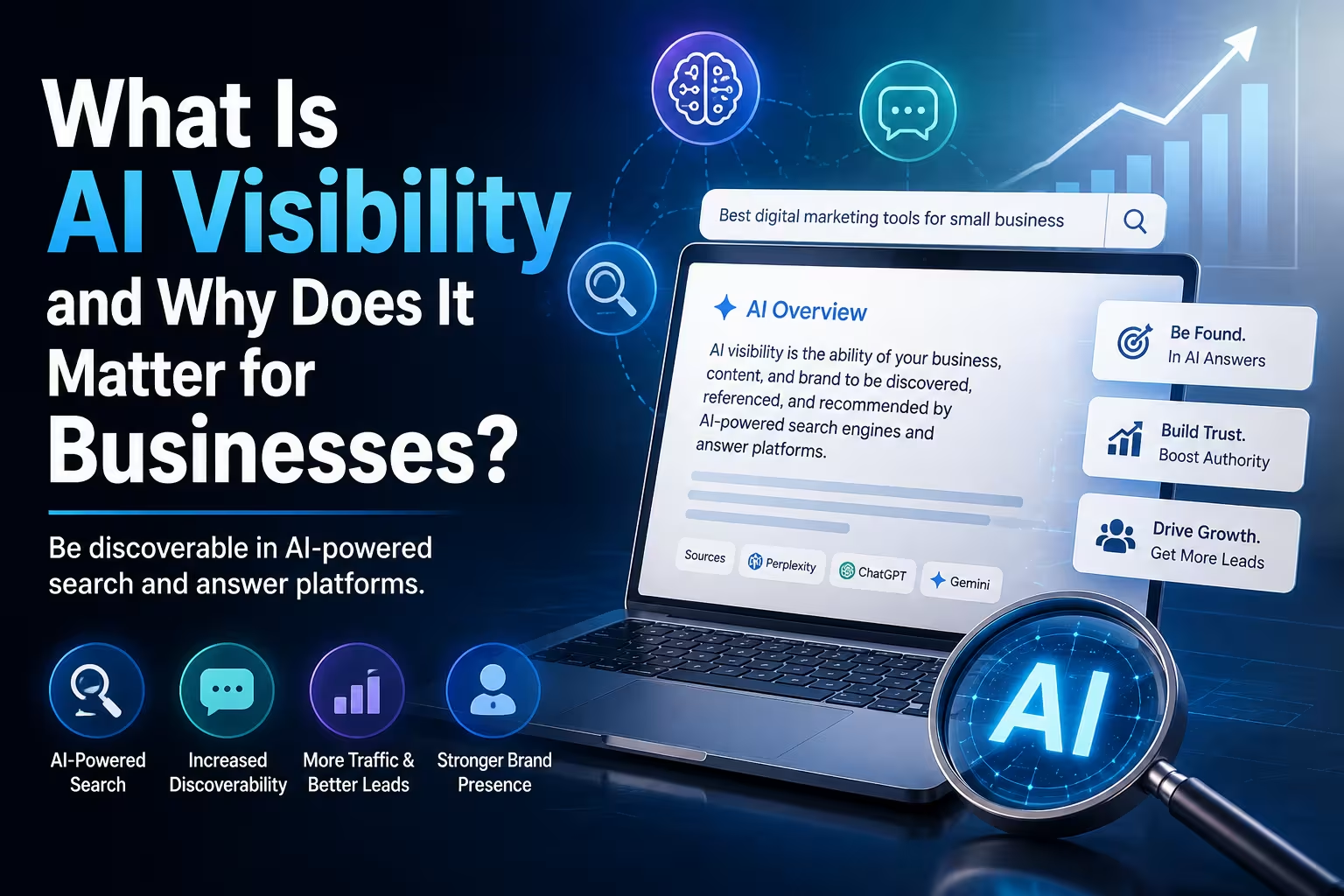
What Is AI Visibility and Why Does It Matter for Businesses?

AI Visibility

What Is AI Visibility and Why Does It Matter for Businesses?

Search is becoming more conversational, and people are increasingly using AI-powered tools to discover businesses, products and information. AI visibility is about making sure your business can be understood and discovered in these new search environments.

AI Visibility 7–9 min read
Quick Answer

AI visibility is the ability of a business and its information to be discovered, understood and potentially referenced by AI-powered search and answer systems.

Traditional SEO focuses heavily on visibility in search engine results. AI visibility goes a step further by considering how clearly AI systems can understand a business, its services, expertise, location, products and other relevant information.

There is no guaranteed way to make an AI system mention a particular business. However, businesses can improve their chances by maintaining accurate information, publishing useful original content, building a clear website structure, strengthening their authority and ensuring that relevant AI crawlers can access their public content.

What Does AI Visibility Actually Mean?

AI visibility is a relatively new way of thinking about online visibility.

For years, businesses focused primarily on one question:

"How do we appear when someone searches for our keywords?"

Today, another question is becoming increasingly relevant:

"What happens when someone asks an AI system about businesses like ours?"

For example, someone may ask an AI assistant:

"What are some good web development companies in Mumbai for a small business?"

Or:

"Who provides SEO and AI visibility services for businesses in India?"

An AI-powered search system may use information from multiple sources to formulate an answer and may provide links or citations to relevant websites.

AI visibility is concerned with whether your business has a clear, credible and discoverable digital presence that can contribute to those answers.

01. AI Visibility Is Not the Same as "Ranking in ChatGPT"

One of the first misconceptions businesses encounter is the idea that AI visibility works exactly like a Google ranking.

It does not.

AI search systems can use different retrieval methods, search providers, sources, context and ranking signals. The exact process can also change over time.

Even when a website is technically eligible to appear in an AI search product, there is no guarantee that it will be selected for a particular question.

This means AI visibility should be treated as a visibility and information quality strategy, rather than a promise of a specific position.

02. Why AI Visibility Matters Now

The way people find information is changing.

Search engines remain extremely important, but users are increasingly comfortable asking questions in natural language and receiving synthesized answers.

AI-powered search can potentially influence discovery across areas such as:

  • Business research
  • Product discovery
  • Service comparisons
  • Local recommendations
  • Software research
  • Travel planning
  • Professional services
  • Educational research

This creates another layer of digital visibility for businesses to consider.

Traditional search

A customer searches, sees results, compares pages and chooses a website.

AI-assisted search

A customer asks a question, receives a synthesized answer and may then investigate the sources or businesses referenced in that answer.

03. AI Visibility Depends on Being Understandable

A business can have a beautiful website and still communicate very little useful information to search and AI systems.

Consider two websites.

Website A

"We provide innovative digital solutions for modern businesses."

Website B

"We build WordPress and Webflow websites for small and medium-sized businesses in India, with services covering website development, SEO, AI visibility, automation and lead generation."

The second description provides substantially more context.

It identifies the business, its services, its technologies, its audience and its market.

Clarity is an important part of AI visibility.

04. Your Website Needs to Explain What Your Business Does

AI systems cannot reliably understand information that your website does not clearly provide.

A business website should make important information explicit.

For example:

  • Company name
  • Primary services
  • Products
  • Target customers
  • Locations served
  • Industries served
  • Areas of expertise
  • Contact information
  • Company history
  • Case studies
  • Relevant credentials

This is particularly important for service businesses.

Instead of simply saying that you are a "digital agency," explain what that means.

Digital Agency → WordPress Development → SEO → AI Visibility → Automation → Lead Generation

Clear relationships between these services help create a more understandable picture of the business.

05. Content Is One of the Biggest AI Visibility Assets

A website with only a Home, About, Services and Contact page may tell visitors what the company sells, but it provides relatively little depth.

A useful content strategy can create a much richer information footprint.

Businesses can publish:

  • Detailed service pages
  • Educational articles
  • Frequently asked questions
  • Case studies
  • Original research
  • Industry insights
  • Comparison guides
  • How-to articles
  • Definitions and explainers

This gives search systems more context about the business and the subjects it actually understands.

06. Original Information Matters

Publishing content is not enough.

The internet already contains enormous quantities of generic information.

A business therefore benefits from contributing something that is genuinely useful or distinctive.

That could include:

  • Original data
  • Industry observations
  • Case studies
  • Real project examples
  • Expert commentary
  • Unique processes
  • Detailed comparisons
  • Practical experience

For example, instead of publishing another generic article titled "What Is WordPress?", a web agency could publish:

"How Much Does a Business Website Cost in India in 2026?"

and explain the actual factors affecting development costs, hosting, maintenance, integrations and ongoing requirements.

That creates information with a clear business context.

07. AI Visibility and SEO Are Closely Connected

AI visibility does not mean abandoning SEO.

In fact, many of the fundamentals remain the same.

SEO FoundationAI Visibility Benefit
Clear website structureMakes business information easier to interpret
Useful contentProvides information that can answer questions
Internal linkingConnects related topics and services
Structured dataProvides machine-readable context where appropriate
Technical accessibilityAllows crawlers and search systems to access content
Authority and reputationSupports trust and credibility signals

This is why a business should not think of AI visibility as a completely separate website optimisation discipline.

It is better understood as an additional consideration within a broader search and digital visibility strategy.

08. AI Crawlers and Website Accessibility Matter

Your content cannot be surfaced by an AI search system if the relevant system cannot access it.

Different AI platforms use different crawlers and discovery mechanisms.

For example, OpenAI states that websites should allow OAI-SearchBot to crawl their content if they want to be eligible for inclusion in ChatGPT search.

This does not guarantee visibility or placement. It simply helps ensure that the website is technically available to that search system.

Businesses should therefore review:

  • robots.txt
  • Meta robots directives
  • Website accessibility
  • Firewall and security rules
  • CDN bot protection
  • Server response codes
  • Indexability

Technical accessibility is a prerequisite for digital visibility.

09. Your Business Information Should Be Consistent

AI visibility is not limited to your own website.

Businesses exist across an ecosystem of online sources.

Depending on the business, this can include:

  • Company website
  • Business directories
  • Professional profiles
  • Social platforms
  • Industry websites
  • Review platforms
  • News articles
  • Partner websites

Important information should be consistent wherever practical.

For example, if a company describes itself as a Mumbai-based WordPress agency on its website but appears as a software product company elsewhere, the overall digital identity becomes less clear.

Consistent business information helps create a stronger and more coherent online presence.

10. Reviews, Mentions and Reputation Matter

A business should not expect its own website to be the only source of information used to understand its reputation.

External mentions can provide additional context.

Depending on the business, useful sources may include:

  • Customer reviews
  • Industry publications
  • Business directories
  • Partner websites
  • Case study mentions
  • Interviews
  • Professional profiles

This is one reason reputation management and digital PR can become increasingly relevant to AI visibility.

A business should aim to build a genuine reputation rather than trying to manufacture mentions simply for AI visibility.

11. AI Visibility Is Not About Manipulating AI Systems

There is already a growing market of services promising to "hack" AI systems or guarantee that a business will be recommended by ChatGPT.

Businesses should be cautious about such claims.

AI search systems can change their models, retrieval systems, ranking methods and sources.

No responsible agency should guarantee that a particular business will always be recommended for a particular question.

The goal should be to build a business that is genuinely understandable, useful and credible online—not to trick an AI into mentioning it.

12. How Can a Business Improve AI Visibility?

A practical AI visibility strategy can begin with the fundamentals.

1. Make your business identity clear

Clearly explain who you are, what you do, where you operate and who you serve.

2. Build detailed service pages

Explain each major service rather than listing services as short bullet points.

3. Answer real customer questions

Build articles and FAQs around genuine questions people ask before buying.

4. Publish original content

Add practical experience, examples, data, case studies and insights that are not simply generic rewrites of existing content.

5. Strengthen technical SEO

Keep the website crawlable, accessible, fast, mobile-friendly and properly structured.

6. Use structured data appropriately

Implement relevant structured data where it accurately describes the content and business.

7. Build external credibility

Develop genuine reviews, mentions, partnerships, references and industry presence.

8. Monitor how your business appears

Periodically test relevant questions across AI-powered search experiences and document what information appears, what is missing and where inaccuracies exist.

AI Visibility vs SEO: What Is the Difference?

SEO and AI visibility overlap considerably, but their emphasis is different.

SEOAI Visibility
Focuses strongly on search visibilityFocuses on visibility within AI-assisted discovery and answers
Often measures rankings and organic trafficCan involve mentions, citations, references and representation
Strong focus on keywords and search intentStrong focus on entities, context, questions and business identity
Technical SEO is essentialTechnical accessibility remains essential
Content supports search rankingsContent helps systems understand and potentially reference the business

Why AI Visibility Matters for Small Businesses Too

AI visibility is not only relevant to large corporations.

In some ways, it may be particularly useful for smaller businesses.

A small business can build a highly specific information footprint around:

  • A particular city
  • A specific service
  • A specialised industry
  • A particular customer type
  • A niche product

For example, instead of trying to become known simply as a "web agency," a company might establish a much clearer digital identity around:

WordPress development → Mumbai businesses → SEO → AI Visibility → Automation

The more clearly the business communicates its actual expertise and market, the easier it becomes for people and systems to understand what it does.

Final Verdict

AI visibility is becoming another important layer of digital visibility for businesses.

It does not replace SEO, and it does not mean trying to manipulate AI systems into recommending a company.

Instead, it means building a digital presence that is clear, technically accessible, useful, authoritative and consistent enough to be understood across modern search and AI-powered discovery systems.

The businesses most likely to benefit are those that start treating their website as more than a digital brochure.

A strong website should explain what the company does, answer customer questions, demonstrate expertise, provide evidence, maintain accurate information and make its content accessible to modern search systems.

SEO helps your business get discovered. AI visibility helps make your business understandable in the age of AI-powered search.

Frequently Asked Questions

What is AI visibility?

AI visibility is the ability of a business and its information to be discovered, understood and potentially referenced by AI-powered search and answer systems.

Is AI visibility the same as SEO?

No. They overlap significantly, but SEO focuses primarily on search visibility while AI visibility considers how clearly a business can be understood and represented in AI-assisted discovery and answer experiences.

Can a business guarantee that ChatGPT will recommend it?

No. AI search systems use multiple signals and can change how they retrieve, rank and present information. Businesses can improve their digital presence, but responsible providers should not guarantee a specific AI recommendation or position.

Does AI visibility replace SEO?

No. Technical SEO, useful content, website accessibility, internal linking, structured data and other established SEO practices remain important foundations for modern search visibility.

Does AI visibility matter for small businesses?

Yes. Small businesses can benefit by building a clear digital identity around their services, locations, expertise and target customers. Specific and useful information can help make a business easier to understand online.

Does AI-generated content improve AI visibility?

Not automatically. Simply publishing large amounts of AI-generated content does not guarantee visibility. Useful, accurate, original and well-structured information is more important than the method used to produce the content.

How can I improve my business's AI visibility?

Start by making your business information clear and consistent, build detailed service pages, answer genuine customer questions, publish useful original content, maintain strong technical SEO, use appropriate structured data and develop genuine external credibility through reviews, mentions and industry relationships.

Can WordPress websites be optimised for AI visibility?

Yes. WordPress provides control over content, page structure, internal linking, structured data, technical SEO and publishing workflows, making it suitable for implementing an AI visibility strategy.

SEO vs AEO: What’s the Difference?

SEO & AEO

SEO vs AEO: What's the Difference?

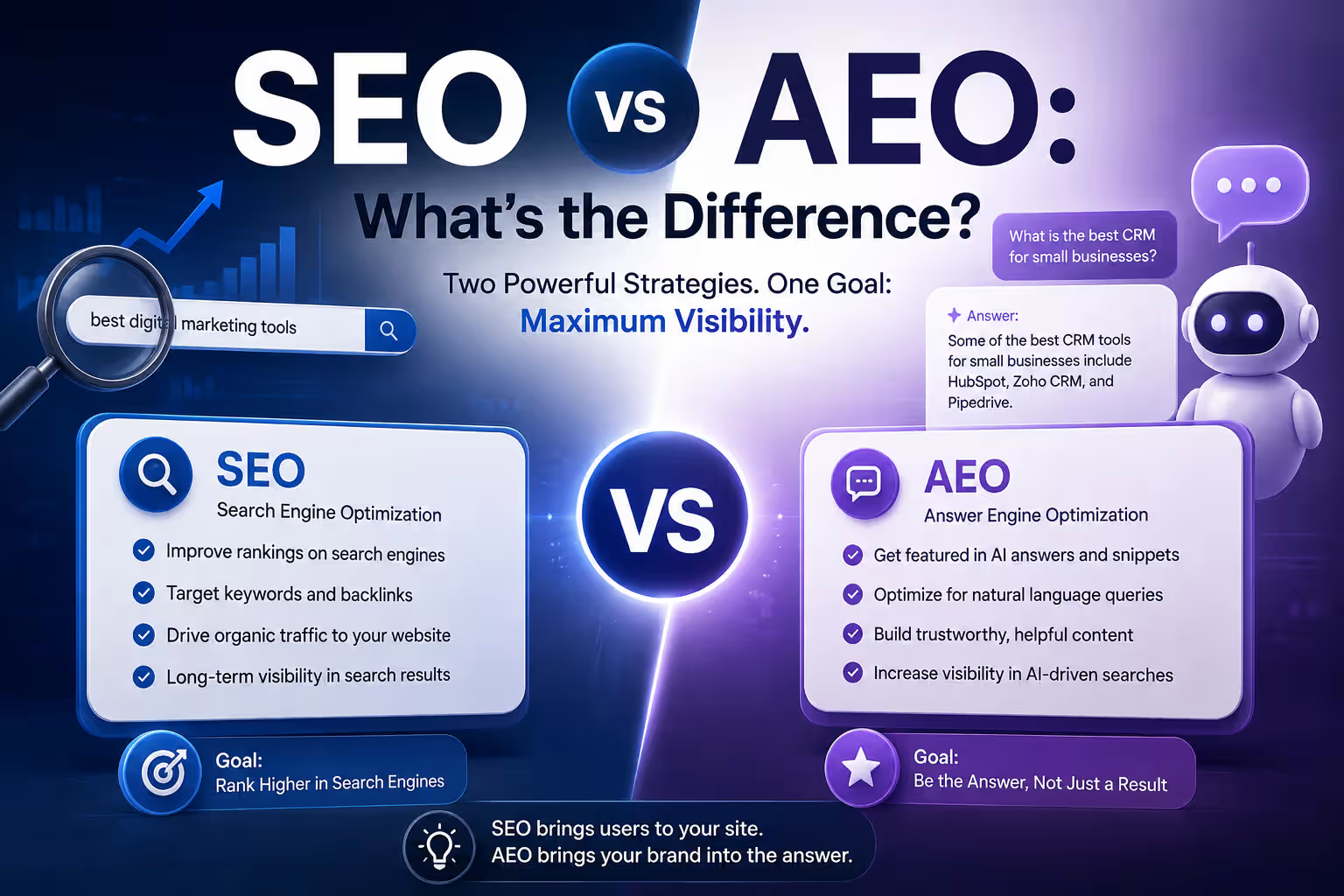
SEO helps your website become more visible in search engines. AEO focuses on making your content useful and understandable enough to be selected as an answer. In 2026, businesses increasingly need to think about both.

SEO & AEO 7–9 min read
Quick Answer

SEO and AEO are related, but they are not the same. SEO, or Search Engine Optimisation, focuses on improving a website's visibility in search results. AEO, or Answer Engine Optimisation, focuses on structuring information so that search engines, AI systems and answer-focused interfaces can understand and use it when responding to questions.

SEO is primarily concerned with being discovered and ranked. AEO places greater emphasis on being understood, trusted and selected as a useful answer.

The practical approach for most businesses is not to choose one over the other. A strong website should use SEO as the foundation and AEO as an extension of its content and information strategy.

What Is SEO?

SEO stands for Search Engine Optimisation.

It is the process of improving a website so that search engines can discover, understand and rank its pages for relevant searches.

SEO can involve many different areas, including:

  • Keyword research
  • Content optimisation
  • Technical SEO
  • Internal linking
  • Page structure
  • Site speed and performance
  • Mobile usability
  • Structured data
  • Image optimisation
  • Backlinks and authority
  • Local SEO

The overall objective is relatively straightforward:

Make the website easier for search engines to understand and more useful for people searching for relevant information.

What Is AEO?

AEO stands for Answer Engine Optimisation.

AEO focuses on improving how clearly a website communicates information that could be used to answer questions.

This becomes particularly relevant as people increasingly interact with:

  • AI assistants
  • AI-powered search
  • Conversational search interfaces
  • Featured answers
  • Voice assistants
  • Question-based search

Instead of only thinking about keywords, AEO encourages businesses to think about the questions their customers actually ask.

For example, a web development company may not only target:

WordPress development company

It may also create useful content around questions such as:

How much does a business website cost? → Is WordPress good for small businesses? → How long does a website take to build? → What should a business website include?

The objective is to provide clear, direct and context-rich information that can be understood by both humans and machines.

01. SEO and AEO Have Different Primary Goals

The easiest way to understand the difference is to look at the primary objective of each discipline.

SEOAEO
Improve search visibilityImprove answer visibility and usability
Target relevant searchesAddress specific questions and information needs
Focus strongly on rankingsFocus strongly on being understood and selected as an answer
Optimise pages for search engines and usersStructure information for search engines, AI systems and users
Often targets keywords and topicsOften targets questions, entities, context and intent

02. SEO Is Not Being Replaced by AEO

One of the biggest misconceptions around AEO is that businesses need to abandon SEO and replace it with AEO.

That is not how it works.

AEO builds on many of the same fundamentals that make a website strong for SEO.

A website still needs:

  • Accessible pages
  • Good technical performance
  • Useful content
  • Clear page structure
  • Logical internal linking
  • Reliable information
  • Strong user experience
  • Appropriate structured data

AEO therefore should be viewed as an additional layer rather than a complete replacement for conventional SEO.

03. The Difference Is Also About Search Intent

Traditional SEO often begins with keywords.

AEO encourages a broader view of search intent and information needs.

Consider someone searching for:

"website development cost"

A conventional SEO strategy might create a page targeting that keyword.

An AEO-oriented strategy would ask additional questions:

  • What does the person actually want to know?
  • Are they looking for a price range?
  • What factors affect the cost?
  • Are they comparing agencies?
  • Do they need ecommerce?
  • Are they asking about India specifically?
  • What should they expect to pay for maintenance?

The resulting page can answer the broader information need instead of simply repeating a target keyword.

04. AEO Favors Clear Answers

AEO content generally benefits from being direct.

If someone asks:

"How much does a business website cost in India?"

The page should not make the reader go through 1,500 words before finding the answer.

A better structure might be:

Quick Answer

Give the reader a concise answer first.

Then explain

Explain the factors that affect the answer, provide examples, and add relevant context.

This structure is useful for humans as well as systems attempting to understand the content.

05. Structure Matters More for AEO

AEO places significant emphasis on how information is organised.

A page should make relationships between pieces of information clear.

Useful elements can include:

  • Descriptive headings
  • Short explanatory paragraphs
  • Lists
  • Tables where appropriate
  • FAQs
  • Definitions
  • Step-by-step explanations
  • Examples
  • Relevant structured data

This does not mean every page needs an FAQ section or a collection of schema markup. Structure should reflect the actual information being presented.

06. Entity and Context Become More Important

Modern search systems increasingly need to understand entities and relationships, not just individual keywords.

For example, a business website should clearly communicate:

  • Who the business is
  • What services it provides
  • Where it operates
  • Who it serves
  • Which industries it works with
  • What products or technologies it uses
  • How its services relate to one another

This creates a clearer information model around the business.

Instead of simply mentioning "SEO" dozens of times, a business can explain what SEO means, what services it provides, who those services are for, and how they relate to other services such as AEO, content strategy and website development.

07. FAQs Can Help, but They Are Not a Magic Trick

FAQs are commonly associated with AEO because many searches are phrased as questions.

A well-written FAQ can be useful when it answers genuine customer questions.

For example:

Does WordPress require maintenance?

Yes. WordPress websites should receive regular software updates, backups, security checks and performance monitoring.

But adding twenty artificial questions to every page simply to create an FAQ section is not a meaningful AEO strategy.

Useful answers matter more than the number of questions.

08. Content Quality Still Matters

AEO does not eliminate the need for good content.

In fact, the opposite is true.

Businesses need content that is:

  • Accurate
  • Specific
  • Original
  • Relevant
  • Well structured
  • Easy to understand
  • Supported by appropriate evidence where necessary

Simply producing large volumes of AI-generated articles is not an AEO strategy.

A website should provide information that genuinely helps the intended audience.

09. SEO and AEO Work Best Together

The strongest approach is usually not SEO versus AEO.

It is SEO plus AEO.

Technical SEO → Search Visibility → Useful Content → Clear Structure → Answer Readiness → Better User Experience

SEO helps people discover the website.

AEO helps the website communicate its information in a way that is more suitable for question-driven and answer-driven search experiences.

Both ultimately depend on the same fundamental principle:

Create useful information and make it easy to understand.

10. What Should a Business Do in 2026?

Businesses do not necessarily need a completely separate "SEO website" and "AEO website."

Instead, the existing website can be improved in layers.

Start with technical SEO

Make sure the website is crawlable, fast, mobile-friendly and technically sound.

Build useful service pages

Clearly explain what the business offers, who it serves, where it operates, and why customers should consider it.

Create question-based content

Identify genuine questions customers ask before buying and create useful content that answers them.

Improve information structure

Use descriptive headings, logical internal links, concise answers, examples and appropriate structured data.

Demonstrate expertise

Use original insights, case studies, examples, author information, company details and credible supporting information where appropriate.

SEO vs AEO: Which One Should You Choose?

If you are running a business website, the answer is usually:

You should not have to choose.

SEO remains important because people still use traditional search engines to discover businesses, products and information.

At the same time, search behaviour is becoming more conversational and increasingly influenced by AI-powered interfaces.

That means businesses should prepare their content for both discovery and understanding.

If your goal is...Focus on...
Getting discovered in searchSEO
Answering customer questionsAEO
Improving technical website healthSEO
Making information easier to understandAEO
Building long-term search visibilitySEO + AEO

Final Verdict

SEO and AEO are not competing strategies.

SEO focuses primarily on helping websites become discoverable and competitive in search. AEO focuses more heavily on making information clear, structured, useful and suitable for answer-driven search experiences.

For businesses in 2026, the practical approach is to build a strong SEO foundation and then make the website increasingly useful for question-based and AI-assisted discovery.

That means better content, clearer answers, stronger information architecture, useful FAQs, accurate business information and appropriate structured data.

SEO helps people find you. AEO helps systems understand what you can answer.

Frequently Asked Questions

What is the difference between SEO and AEO?

SEO focuses on improving a website's visibility in search results. AEO focuses on making information clear and structured so that it can be understood and potentially used as an answer by search engines, AI systems and other answer-focused interfaces.

Is AEO replacing SEO?

No. AEO is better understood as an extension of modern search optimisation. Technical SEO, content quality, website performance and authority remain important foundations.

Is AEO important for businesses in 2026?

It is increasingly relevant as users interact with AI-powered search, conversational interfaces and question-based discovery. Businesses can prepare by making their information clear, accurate, useful and well structured.

Does AEO mean adding lots of FAQs to a website?

No. FAQs can be useful when they answer genuine customer questions, but simply adding large numbers of artificial questions does not create a strong AEO strategy.

Is structured data important for AEO?

Appropriate structured data can help search systems understand certain types of information, but schema markup alone does not guarantee visibility in AI or search results. It should support a well-structured website rather than replace good content.

Can WordPress be optimised for both SEO and AEO?

Yes. WordPress provides control over page structure, content, internal linking, structured data, FAQs and publishing workflows, making it suitable for implementing both SEO and AEO strategies.

What should a business focus on first: SEO or AEO?

Start with a solid technical and content SEO foundation. Then improve the site's ability to answer specific questions and communicate business information clearly. In practice, SEO and AEO should develop together.

Why WordPress Is Still a Good Choice for Business Websites in 2026?

WordPress

Why WordPress Is Still a Good Choice for Business Websites in 2026?

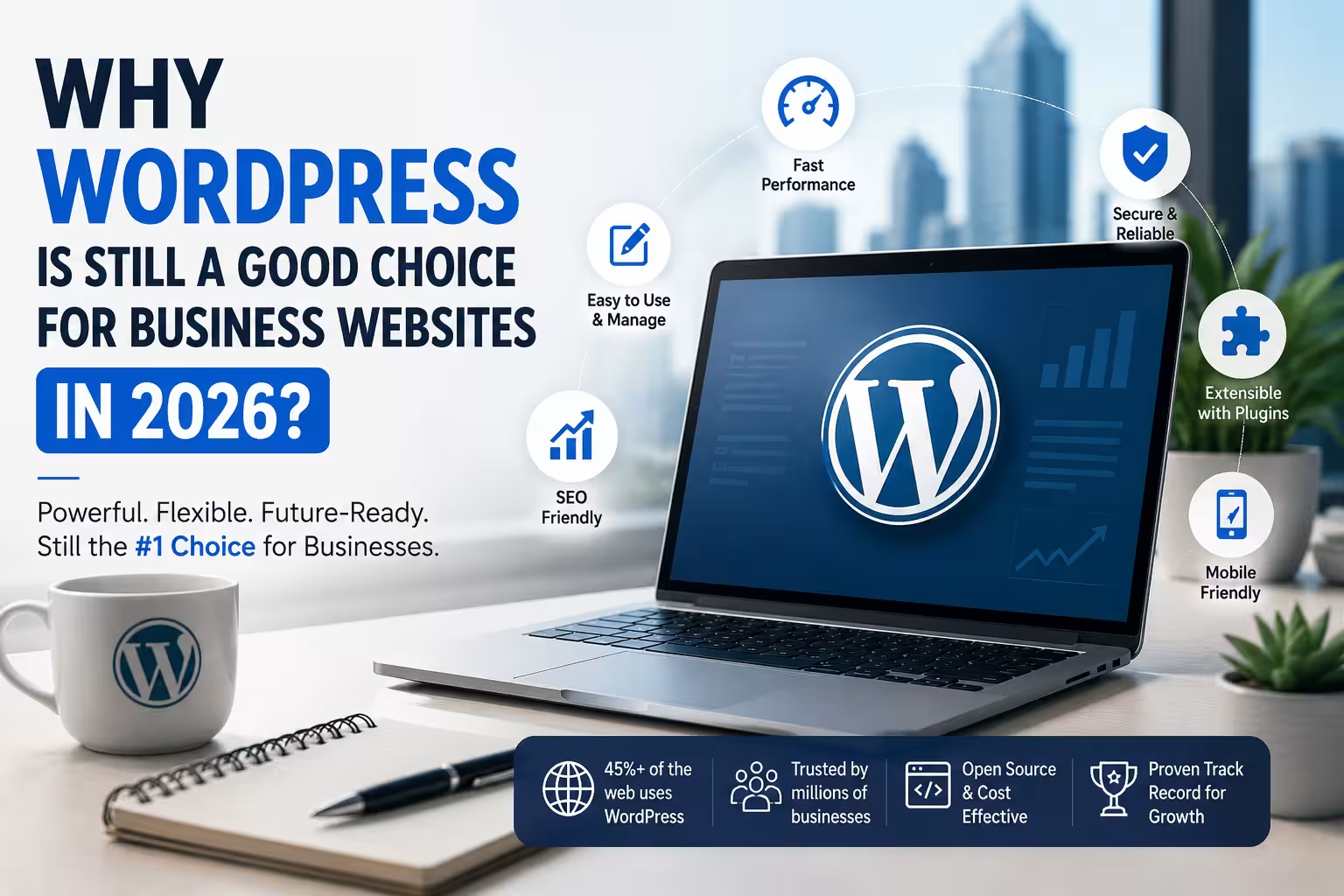
WordPress has been around for more than two decades, but it remains one of the most practical platforms for building and managing business websites in 2026. Here's why.

WordPress 7–9 min read
Quick Answer

Yes. WordPress is still a strong choice for business websites in 2026, particularly when a business needs flexibility, ownership, integrations, SEO capabilities, and long-term control over its website.

The important distinction is that WordPress itself is not the complete solution. Hosting, theme selection, plugins, security, performance optimisation, content structure, and ongoing maintenance all affect the final website.

For a simple brochure website, other platforms can work equally well. But for businesses expecting their website to evolve into a lead-generation, publishing, ecommerce, booking, or automation platform, WordPress remains difficult to overlook.

WordPress Has Changed Significantly

When people think of WordPress, they sometimes picture the WordPress of 2015: a theme, dozens of plugins, a page builder, and a website that becomes difficult to maintain.

Modern WordPress can be very different.

The platform has evolved into a flexible content management system that can support:

  • Business websites
  • Corporate websites
  • Blogs and publications
  • Ecommerce stores
  • Membership websites
  • Learning platforms
  • Booking systems
  • Directories
  • Lead-generation websites
  • Custom web applications
  • API-driven websites
  • AI-assisted content workflows

This flexibility is one of WordPress's biggest advantages.

A business does not necessarily have to rebuild its website every time its requirements change.

01. You Own Your Website

One of the biggest reasons businesses continue to choose WordPress is ownership and portability.

With self-hosted WordPress, the business can control its:

  • Website files
  • Database
  • Domain
  • Hosting
  • Content
  • Media
  • Plugins
  • Themes
  • Integrations

This matters as a business grows.

A website that starts as a simple five-page company website might eventually require a CRM integration, ecommerce functionality, advanced forms, an employee portal, or a customer dashboard.

With a flexible platform, those capabilities can be added without necessarily abandoning the original website.

02. WordPress Can Scale With the Business

"Scalable" does not necessarily mean handling millions of visitors.

For most small and medium-sized businesses, scalability means something simpler:

Can the website accommodate new business requirements without becoming a completely new project?

WordPress performs well in this regard.

A company could start with:

Home → About → Services → Contact

Later, it might add:

Blog → Case Studies → Resources → Lead Magnets → Booking → Ecommerce → Customer Portal

The underlying platform can remain the same.

The actual scalability, however, depends heavily on the implementation. Poor hosting, excessive plugins, inefficient themes, unoptimised images, and badly written custom code can make even a good platform perform badly.

03. WordPress Is Strong for SEO

A business website needs more than an attractive design.

It needs to be discoverable.

WordPress gives businesses considerable control over the technical and content elements that influence search visibility.

For example:

  • Page titles
  • Meta descriptions
  • Headings
  • URLs
  • Internal linking
  • XML sitemaps
  • Canonical URLs
  • Structured data
  • Image optimisation
  • Blog content
  • Redirects
  • Robots directives

SEO plugins can simplify many of these tasks, while developers can implement more advanced requirements when necessary.

However, installing an SEO plugin does not automatically make a website SEO-friendly.

SEO still depends on content quality, site architecture, technical implementation, authority, user experience, and search intent.

04. WordPress Is Becoming More Relevant to AI Search

Search is changing.

People increasingly ask AI systems questions instead of simply entering keywords into a traditional search engine.

That makes structured, understandable and authoritative website content increasingly important.

A well-built WordPress website can provide a strong foundation for this because businesses can publish:

  • Detailed service pages
  • FAQs
  • Case studies
  • Expert articles
  • Authoritative company information
  • Product information
  • Structured data
  • Location information
  • Original research

This is where SEO and Answer Engine Optimisation (AEO) begin to overlap.

The goal is no longer simply:

"How do I rank for this keyword?"

Businesses increasingly need to consider:

"Can search engines and AI systems clearly understand what my business does, who it serves, and why it is credible?"

WordPress does not automatically solve this problem. But it gives businesses the control needed to build the underlying information architecture.

05. There Is a Huge Ecosystem

WordPress has one of the largest ecosystems in the web industry.

Businesses can find solutions for:

  • Payments
  • Ecommerce
  • Forms
  • CRM
  • Email marketing
  • Analytics
  • Security
  • Caching
  • SEO
  • Memberships
  • Learning management
  • Bookings
  • Shipping
  • Invoicing
  • Social media
  • Automation

This means businesses do not always need custom development for every requirement.

At the same time, having thousands of plugins available creates another responsibility: plugin selection matters.

Adding a plugin simply because it has a high installation count is not a development strategy.

Businesses should consider:

  • Developer reputation
  • Update frequency
  • Compatibility
  • Security history
  • Support
  • Performance
  • Whether the functionality is actually necessary

Fewer, well-chosen plugins are generally preferable to a website overloaded with unnecessary functionality.

06. WordPress Can Be Highly Customised

There is a common misconception that WordPress websites all look the same.

They don't have to.

WordPress can be customised through:

  • Custom themes
  • Child themes
  • Custom CSS
  • Custom PHP
  • Custom plugins
  • REST APIs
  • External APIs
  • JavaScript
  • Database integrations
  • Custom post types
  • Custom fields

This allows a business to start with a relatively conventional website and progressively introduce custom functionality.

For many businesses, this is more economical than building an entire website application from scratch.

07. WordPress Is Useful for Content Marketing

A business website is increasingly becoming a company's knowledge base.

Instead of simply listing services, businesses can publish content answering questions their customers are already asking.

For example, an accounting firm could publish:

  • GST guides
  • Tax planning articles
  • Business compliance checklists
  • Industry-specific accounting advice
  • Case studies

A software company could publish:

  • Implementation guides
  • Product comparisons
  • Tutorials
  • Documentation
  • Industry research

WordPress was originally built around publishing, and that heritage remains one of its strengths.

08. It Can Support Ecommerce

WordPress is not limited to corporate websites.

With WooCommerce, businesses can build online stores supporting products, payments, orders, shipping, discounts, customer accounts and other ecommerce functionality.

This can be particularly useful for businesses that want their corporate website and ecommerce operation to exist within the same ecosystem.

However, WooCommerce is not automatically the best option for every store.

Businesses with extremely specialised requirements may be better served by Shopify, Magento/Adobe Commerce, a custom solution, or another ecommerce platform.

The correct platform depends on the business model.

09. You Can Change Hosting

This is an underrated advantage.

A self-hosted WordPress website is not permanently tied to one hosting provider.

If a business outgrows its hosting environment, it can migrate to another provider.

Shared Hosting → Managed WordPress → VPS → Cloud Infrastructure

The migration may require technical work, but the underlying website does not have to be abandoned.

This gives businesses greater flexibility when hosting requirements or budgets change.

10. WordPress Can Be Cost-Effective

WordPress itself is open-source.

That doesn't mean a WordPress website is free.

Businesses still have costs associated with:

  • Domain registration
  • Hosting
  • Development
  • Premium themes
  • Premium plugins
  • Security
  • Maintenance
  • Backups
  • Content
  • SEO
  • Performance optimisation

However, the availability of a mature ecosystem can reduce development costs because developers do not have to build every component from scratch.

The real question should therefore not be:

"Is WordPress cheap?"

It should be:

"Can WordPress deliver the required functionality at an acceptable total cost of ownership?"

For many businesses, the answer is yes.

11. WordPress Gives Businesses Long-Term Flexibility

A website is rarely a one-time investment.

Business requirements change.

A company may launch with a simple website and later need:

  • More service pages
  • Multiple locations
  • Lead-generation forms
  • CRM integration
  • Customer accounts
  • Online booking
  • Ecommerce
  • Content marketing
  • Analytics
  • Marketing automation

A flexible CMS can accommodate many of these changes.

That is one reason WordPress continues to be relevant.

But WordPress Is Not Always the Right Choice

Being popular does not make WordPress the correct solution for every business.

You need a very simple website

If the requirement is a small static website with minimal ongoing changes, a simpler platform may be easier to manage.

You want an all-in-one managed ecosystem

Platforms such as Shopify can be attractive for businesses that primarily want ecommerce without managing the underlying technical infrastructure.

You need a highly specialised application

If the project is fundamentally a complex web application rather than a content-driven website, a custom application stack may be more appropriate.

Your team does not want to manage maintenance

Self-hosted WordPress requires responsibility for updates, backups, security and compatibility. That responsibility can be outsourced, but it should not be ignored.

The Biggest WordPress Mistake: Treating the Website as Finished

One of the biggest mistakes businesses make is considering website development complete the moment the site goes live.

A website is a business asset.

After launch, it needs:

Security → Updates → Backups → Performance Monitoring → Content Updates → SEO → Conversion Optimisation

A website that was excellent when launched can become slow, vulnerable, outdated or ineffective if nobody maintains it.

This is particularly important with WordPress because the ecosystem is constantly changing.

What Makes a Good WordPress Website in 2026?

The platform is only one part of the equation.

1. A clear purpose

Visitors should understand what the company does within seconds.

2. Good information architecture

Pages should be organised around the customer's needs, not the company's internal structure.

3. Strong mobile experience

A website should work properly across mobile devices, not simply shrink the desktop version.

4. Good performance

Images, scripts, fonts, plugins and hosting should be properly managed.

5. Security

Updates, backups, access controls, secure authentication and monitoring should be part of the operating process.

6. Search visibility

SEO should be considered during development rather than added as an afterthought.

7. AI visibility

Important business information should be structured clearly enough for modern search and AI systems to interpret.

8. Conversion paths

A website should make it obvious what visitors can do next: Call → Enquire → Book → Buy → Download → Contact

9. Maintainability

The website should be built so that future changes do not require rebuilding everything.

WordPress in 2026: The Real Question

The question is no longer:

"Is WordPress outdated?"

A better question is:

"Is WordPress appropriate for this particular business?"

For many businesses, it remains one of the strongest options available.

It combines an established ecosystem with extensive customisation, content management capabilities, ecommerce, integrations and ownership.

But WordPress should not be selected simply because "everyone uses it."

The platform should be evaluated against the actual requirements of the business.

Final Verdict

WordPress is still a good choice for business websites in 2026.

Its biggest advantage is not that it is the newest technology.

It is that it is mature, flexible and extensible.

For a business that wants to build a website today and potentially turn that website into a larger digital platform tomorrow, WordPress provides a practical foundation.

The quality of the final website, however, depends much more on how WordPress is implemented than on WordPress itself.

Good hosting, a sensible theme and plugin strategy, clean development, strong content, security, performance optimisation, SEO, AEO and ongoing maintenance matter considerably more than simply choosing WordPress.

WordPress isn't automatically a good website. A well-planned WordPress implementation can be.

Frequently Asked Questions

Is WordPress still relevant in 2026?

Yes. WordPress remains relevant because of its flexibility, large ecosystem, content management capabilities and ability to support everything from simple business websites to complex digital platforms.

Is WordPress good for small businesses?

Yes. It can be particularly useful for small businesses that want control over their website and expect their requirements to grow over time.

Is WordPress better than Shopify?

Neither is universally better. WordPress offers greater general-purpose flexibility, while Shopify is highly focused on managed ecommerce. The right choice depends on the business requirements.

Is WordPress good for SEO?

Yes. WordPress provides extensive control over technical SEO and content. However, the platform itself does not guarantee search rankings.

Are WordPress websites secure?

WordPress can be secure when properly maintained. Security depends on hosting, software updates, plugin and theme selection, configuration, authentication, backups and monitoring.

Does WordPress require maintenance?

Yes. Self-hosted WordPress websites should receive regular updates, backups, security checks and performance monitoring.

Can WordPress handle ecommerce?

Yes. WooCommerce and other ecommerce solutions allow WordPress to support online stores. However, the best ecommerce platform depends on the store's requirements.

Is WordPress suitable for AI search and AEO?

Yes. WordPress gives businesses control over their content, structured data, page architecture and publishing workflow. Those capabilities can be used to improve how business information is understood by search engines and AI systems.